Standards that stick
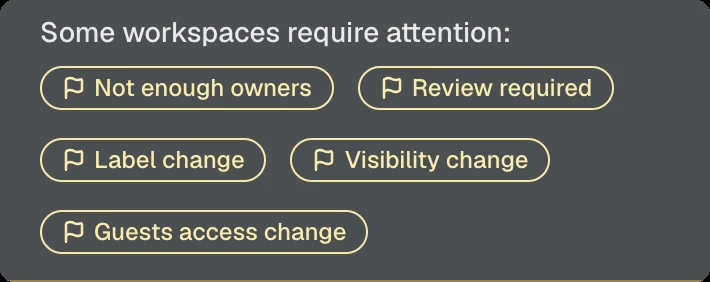
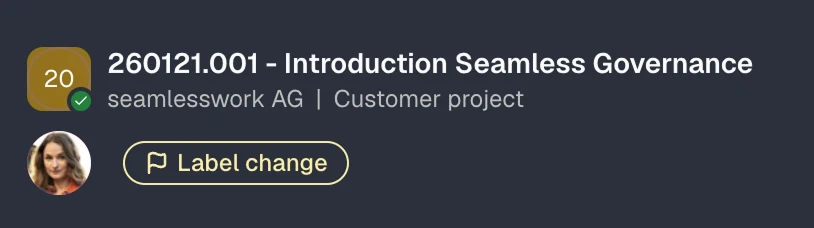
Seamless detects changes to security settings in real time, highlights drift, and makes it easy to revert settings to the configuration defined in the template.
For Microsoft 365 admins
Full control over Teams, SharePoint and guest access with automated governance and lifecycle management.
Trusted by organisations of all sizes.
Secure self-service
Create teams from approved templates and manage workspaces and guest access yourself. Settings and rules from your IT policies are applied automatically.
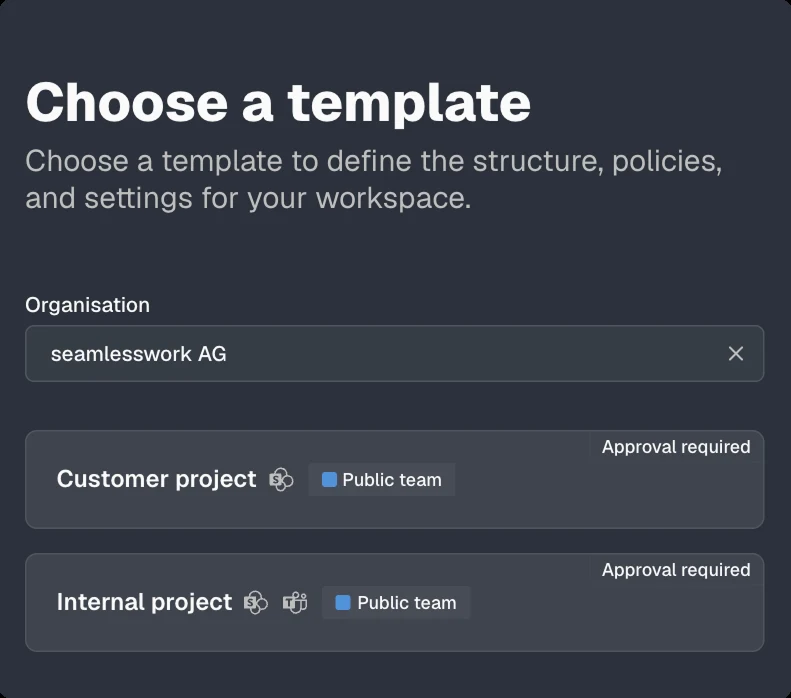
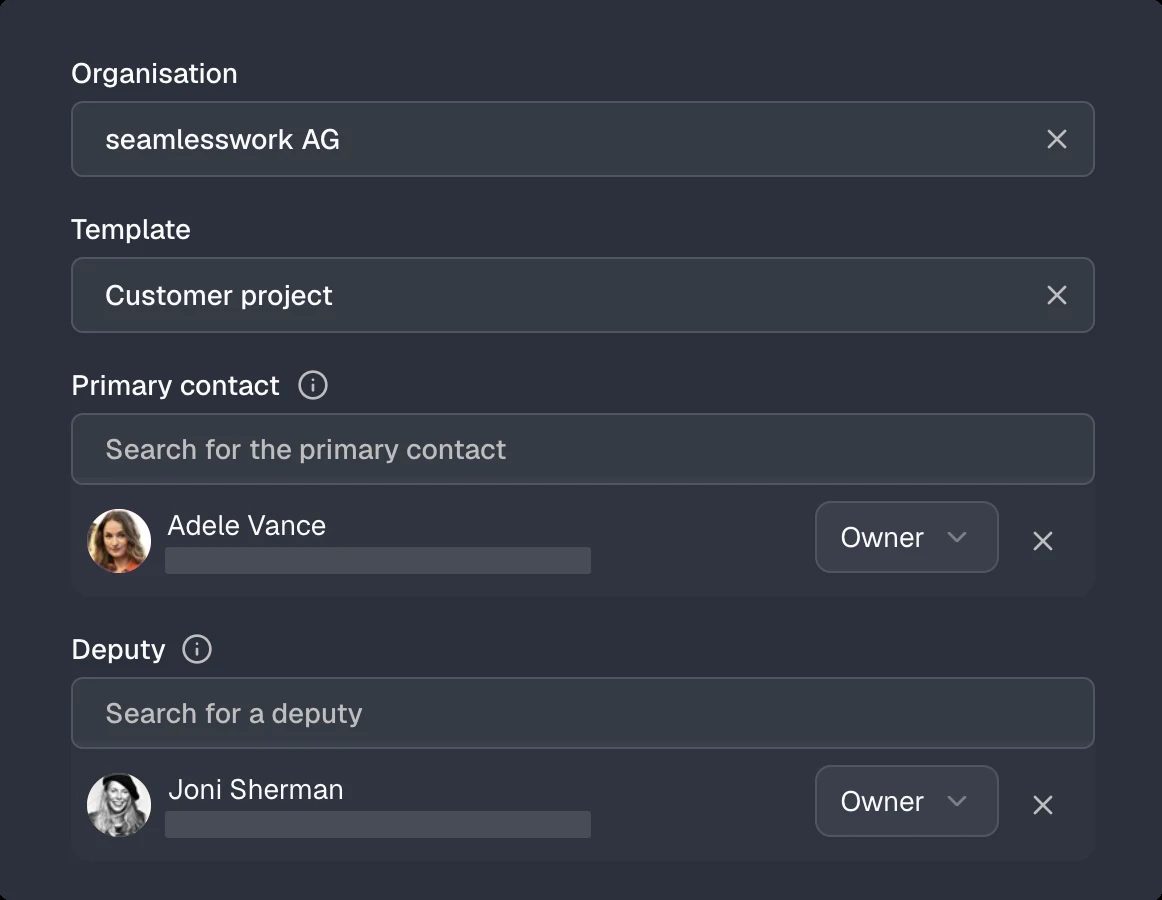
The template defines structure, policies and settings.
OrganisationContosoA clear name so everyone can find the workspace.
NameSelect a primary contact and a deputy.
Primary contactAdd people and assign their access level.
Review the information and send your request.
Choose the matching template.
The person managing access and communication.
Primary contact*Add one or more guests.
Select teams or groups.
Teams or groupsThe invitation is sent after approval.
GuestAll steps completed.
GuestManage members and roles.
Teams you can join
Confirm the primary contact for this workspace.
Confirm whether the workspace should remain active.
Review access and roles. Changes apply immediately.
Confirm that you are responsible for Marta Rossi.
Confirm that Marta Rossi still works with you.
Remove anything that is no longer needed.
Your benefits
Teams and SharePoint remain where you work. You mainly use the Seamless app to create new workspaces from a template. Everything else is there when you need it.
Pick a template and your workspace is ready in minutes, with channels, libraries, tasks and notes.
Find everything you have access to, not just Teams. Quick links take you straight to the content you need.
Built-in guidance walks you through every step, so you can't get it wrong.
See at a glance who is responsible and who has access to what.
Get rid of teams you no longer need, within your IT policies.
Consistent processes keep content in the same place, so it is easier to find.
Features for Microsoft 365
Seamless creates Teams, sites and guest access according to your standards and keeps them compliant over time.
Seamless detects changes to security settings in real time, highlights drift, and makes it easy to revert settings to the configuration defined in the template.
Easily roll out template changes in bulk across existing workspaces, without PowerShell scripts or manual adjustments.
Guest access is automatically removed when invitations remain unredeemed or accounts become inactive.
Seamless helps IT administrators identify and resolve issues before they become security or compliance risks.
Lifecycle
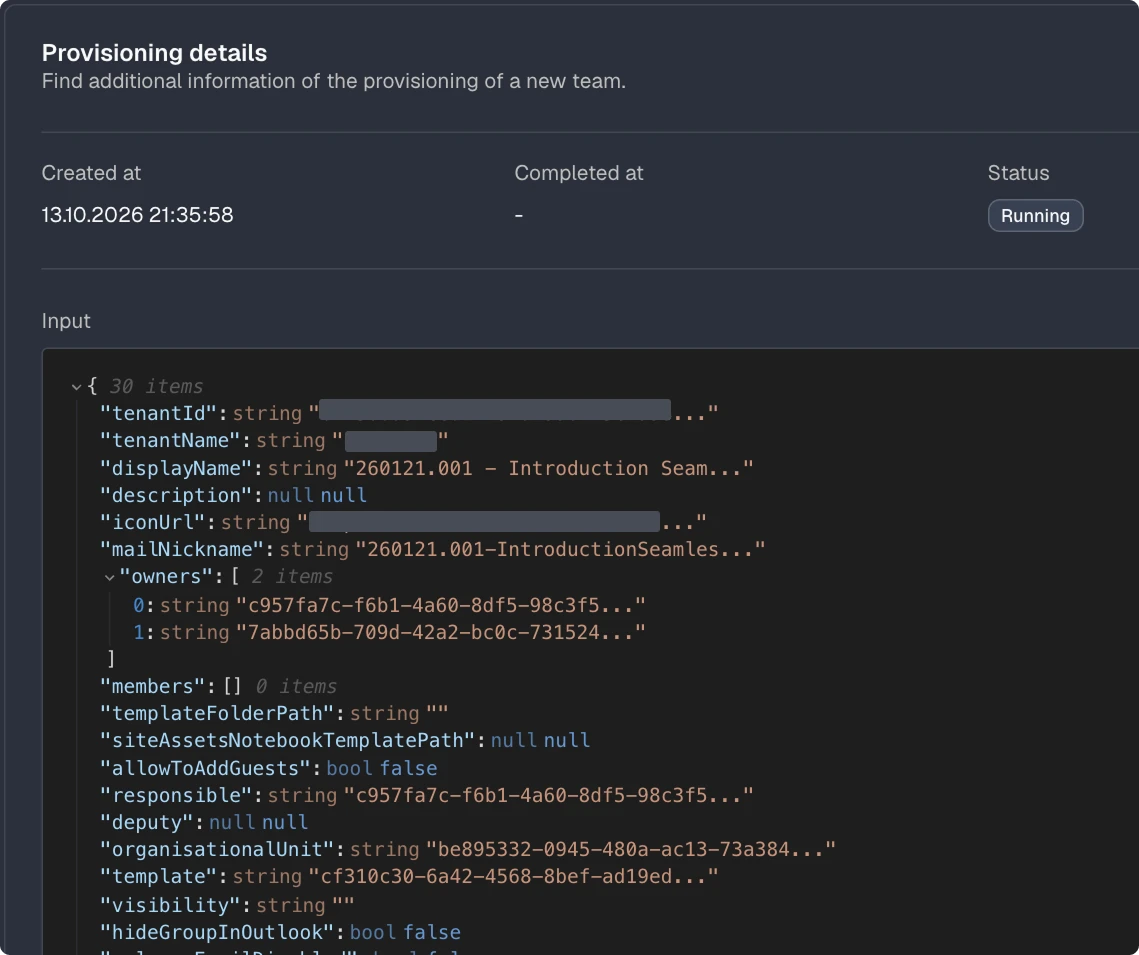
IT defines the templates, employees request workspaces in Teams. Seamless provisions, monitors continuously and archives when a project is done.
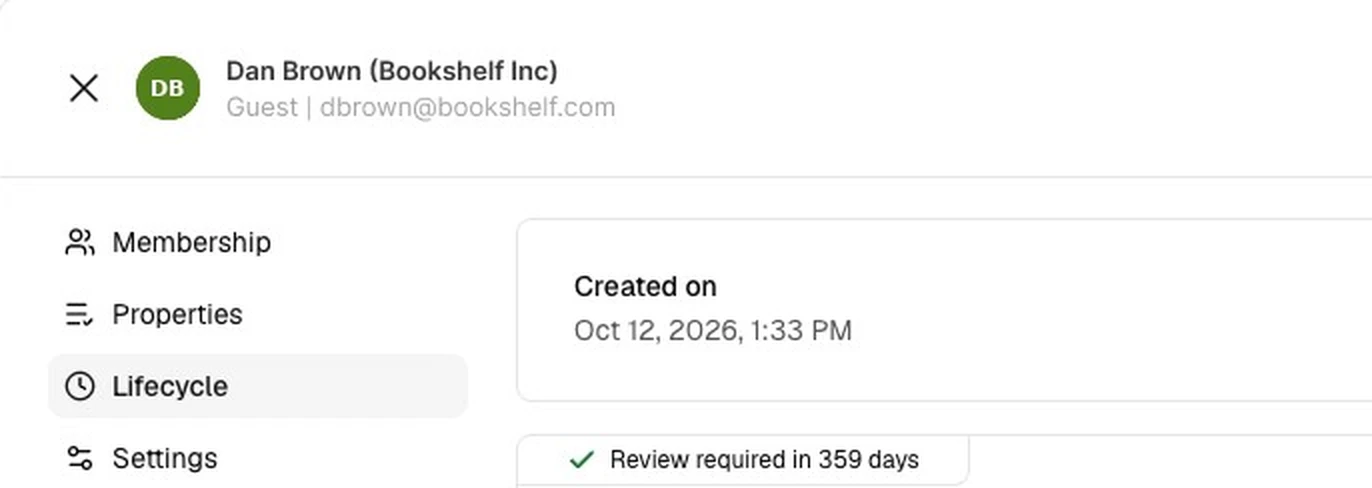
(!givenName!) (!surname!) ((!companyName!))Every guest needs a responsible person in your organisation.
Confirm that you are responsible for this guest.
Confirm that the guest still needs access.
Review the resources this guest can access.
Choose the option that best describes the people you invite.
The person managing access and communication.
Primary contact*Add one or more guests.
Select teams or groups. You can also do this later.
Teams or groupsThe invitation is sent immediately.
GuestThe template defines structure, policies and settings of the workspace.
A clear name so everyone can find the workspace.
Add people and assign their access level.
Review the information and send your request.
Confirm the primary contact for managing this workspace.
Confirm whether the workspace should remain active.
Review access and roles for each person. Changes apply immediately.
{{Project code}} - {{Name}}{{}}-{{}}


B2B Collaboration
Let customers and business partners request access to Teams, SharePoint sites, and applications through self service web forms. Access, approvals, ownership, and lifecycles stay under control at all times.
Add this snippet to your website.
Data sheets, presentations and campaigns for our partners, always up to date.
Your access is ready. You will find the material in Microsoft Teams.
Hello Petra Wyss
Contoso asks you to review your guest account and keep your details up to date.
Review guest accountWe will send a code to p***s@sunshine.com. The address is partially hidden for security reasons.
Request codeThe code is valid for 10 minutes.
Contoso requires guests to accept the terms of use before access is granted.
Please provide the following details.
SaveThank you. You can close this window now.
Integration & Extension
Connect your business applications with Seamless through the REST API, receive events through webhooks, and trigger custom automations directly from the Admin Center.
1# Request a new workspace based on an approved template2$body = @{3 displayName = "260215.001 - Projekt Atlas260215.001 - Project Atlas"4 mailNickname = "260215.001"5 templateIdOrIdentifier = "project"6 organisationIdOrIdentifier = "contoso"7 responsible = "lhuber@contoso.com"8 deputy = "mkeller@contoso.com"9 reviewers = @("governance@contoso.com")10 requestedBy = "lhuber@contoso.com"11} | ConvertTo-Json12 13Invoke-RestMethod -Method Post -Uri "$api/groups/creationRequests" `14 -Headers $headers -Body $body -ContentType "application/json"
1# Approve the request, Seamless provisions team and site2$body = @{3 status = "Approved"4 reviewer = "governance@contoso.com"5} | ConvertTo-Json6 7Invoke-RestMethod -Method Patch `8 -Uri "$api/groups/creationRequests/$requestId" `9 -Headers $headers -Body $body -ContentType "application/json"
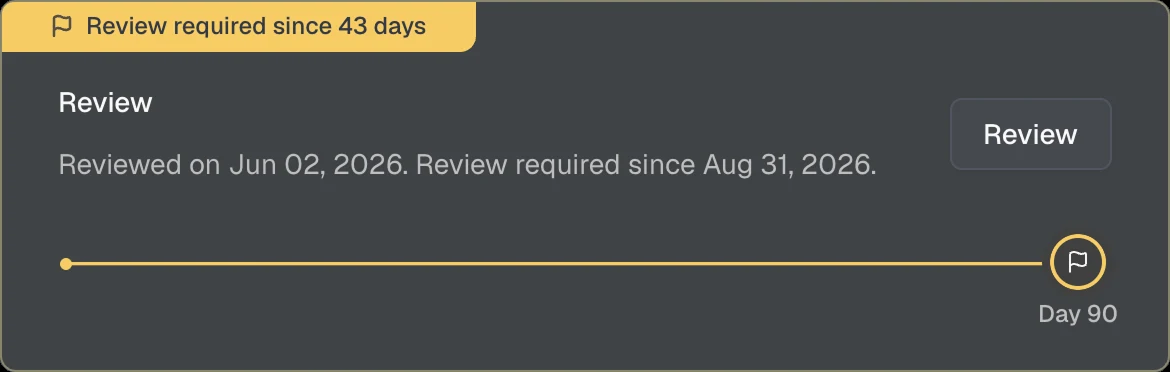
1# Confirm the review, "Renewal required" is removed2$body = @{ renewedBy = "lhuber@contoso.com" } | ConvertTo-Json3 4Invoke-RestMethod -Method Patch -Uri "$api/groups/$groupId/renew" `5 -Headers $headers -Body $body -ContentType "application/json"
1# Archive the workspace using the template's archive configuration2Invoke-RestMethod -Method Post -Uri "$api/groups/$groupId/archive" `3 -Headers $headers
1POST /workflows/4e7b…/triggers/manual/paths/invoke HTTP/1.12Host: prod-27.switzerlandnorth.logic.azure.com3Content-Type: application/json4 5{6 "id": "8b2f6c1e-4d3a-4f7e-9c21-5e6a7b8c9d0e",7 "displayName": "260215.001 - Projekt Atlas260215.001 - Project Atlas",8 "mail": "260215.001@contoso.com",9 "mailNickname": "260215.001",10 "organisation": { "name": "Contoso" },11 "template": { "name": "Project", "slug": "project" },12 "responsible": { "displayName": "Lena Huber", "mail": "lhuber@contoso.com" },13 "deputy": { "displayName": "Marco Keller", "mail": "mkeller@contoso.com" },14 "status": 0,15 "lifecycle": "Active"16}
1POST /workflows/4e7b…/triggers/manual/paths/invoke HTTP/1.12Host: prod-27.switzerlandnorth.logic.azure.com3Content-Type: application/json4 5{6 "id": "8b2f6c1e-4d3a-4f7e-9c21-5e6a7b8c9d0e",7 "displayName": "260215.001 - Projekt Atlas260215.001 - Project Atlas",8 "mail": "260215.001@contoso.com",9 "mailNickname": "260215.001",10 "organisation": { "name": "Contoso" },11 "template": { "name": "Project", "slug": "project" },12 "responsible": { "displayName": "Lena Huber", "mail": "lhuber@contoso.com" },13 "deputy": { "displayName": "Marco Keller", "mail": "mkeller@contoso.com" },14 "status": 2,15 "lifecycle": "Active"16}
1POST /workflows/4e7b…/triggers/manual/paths/invoke HTTP/1.12Host: prod-27.switzerlandnorth.logic.azure.com3Content-Type: application/json4 5{6 "id": "8b2f6c1e-4d3a-4f7e-9c21-5e6a7b8c9d0e",7 "displayName": "260215.001 - Projekt Atlas260215.001 - Project Atlas",8 "mail": "260215.001@contoso.com",9 "mailNickname": "260215.001",10 "organisation": { "name": "Contoso" },11 "template": { "name": "Project", "slug": "project" },12 "responsible": { "displayName": "Lena Huber", "mail": "lhuber@contoso.com" },13 "deputy": { "displayName": "Marco Keller", "mail": "mkeller@contoso.com" },14 "status": 0,15 "lifecycle": "Archived"16}
1POST /workflows/4e7b…/triggers/manual/paths/invoke HTTP/1.12Host: prod-27.switzerlandnorth.logic.azure.com3Content-Type: application/json4 5{6 "id": "3c9e1a7b-2f4d-4b8e-a6c5-1d2e3f4a5b6c",7 "displayName": "Dan Brown (Bookshelf Inc)",8 "mail": "dbrown@bookshelf.com",9 "company": "Bookshelf Inc",10 "template": { "name": "External partner" },11 "primaryContact": { "displayName": "Lena Huber", "mail": "lhuber@contoso.com" }12}
1POST /actions/cost-center HTTP/1.12Host: automation.contoso.com3Content-Type: application/json4 5{6 "id": "8b2f6c1e-4d3a-4f7e-9c21-5e6a7b8c9d0e",7 "displayName": "260215.001 - Projekt Atlas260215.001 - Project Atlas",8 "mail": "260215.001@contoso.com",9 "mailNickname": "260215.001",10 "organisation": { "name": "Contoso" },11 "template": { "name": "Project", "slug": "project" },12 "responsible": { "displayName": "Lena Huber", "mail": "lhuber@contoso.com" },13 "deputy": { "displayName": "Marco Keller", "mail": "mkeller@contoso.com" },14 "status": 0,15 "lifecycle": "Active"16}
1POST /actions/cost-center HTTP/1.12Host: automation.contoso.com3Content-Type: application/json4 5[6 { "id": "8b2f6c1e-…", "displayName": "260215.001 - Projekt Atlas260215.001 - Project Atlas", … },7 { "id": "1a7d9e3b-…", "displayName": "Marketing", … },8 { "id": "5c2e8f4a-…", "displayName": "Finance", … }9]
Result
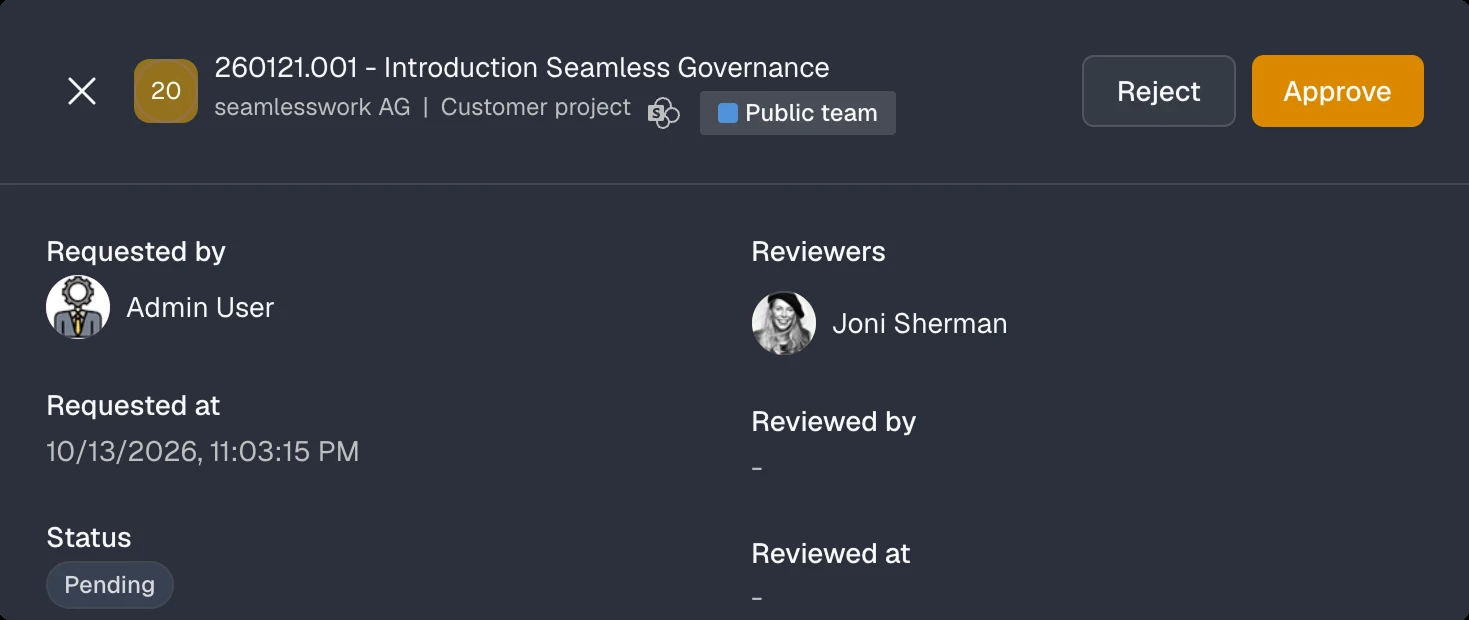
Waiting for approval by governance@contoso.com.
Result
Result
Result
Archive configuration of the template applied.
Events
Teams and sites
team.create
Created
team.review
Review due
team.archive
Archived
Guests · invitation not accepted
user.report.invitationAcceptance
Reported
user.delete.invitationAcceptance
Deleted
Guests · inactive
user.report.inactivity
Reported
user.block.inactivity
Blocked
user.delete.inactivity
Deleted
Guests · review
user.report.renewal
Reported
user.block.renewal
Blocked
user.delete.renewal
Deleted
Guests · approval
Events
Teams and sites
team.create
Created
team.review
Review due
team.archive
Archived
Guests · invitation not accepted
user.report.invitationAcceptance
Reported
user.delete.invitationAcceptance
Deleted
Guests · inactive
user.report.inactivity
Reported
user.block.inactivity
Blocked
user.delete.inactivity
Deleted
Guests · review
user.report.renewal
Reported
user.block.renewal
Blocked
user.delete.renewal
Deleted
Guests · approval
Events
Teams and sites
team.create
Created
team.review
Review due
team.archive
Archived
Guests · invitation not accepted
user.report.invitationAcceptance
Reported
user.delete.invitationAcceptance
Deleted
Guests · inactive
user.report.inactivity
Reported
user.block.inactivity
Blocked
user.delete.inactivity
Deleted
Guests · review
user.report.renewal
Reported
user.block.renewal
Blocked
user.delete.renewal
Deleted
Guests · approval
Events
Teams and sites
team.create
Created
team.review
Review due
team.archive
Archived
Guests · invitation not accepted
user.report.invitationAcceptance
Reported
user.delete.invitationAcceptance
Deleted
Guests · inactive
user.report.inactivity
Reported
user.block.inactivity
Blocked
user.delete.inactivity
Deleted
Guests · review
user.report.renewal
Reported
user.block.renewal
Blocked
user.delete.renewal
Deleted
Guests · approval
Events
Teams and sites
team.create
Created
team.review
Review due
team.archive
Archived
Guests · invitation not accepted
user.report.invitationAcceptance
Reported
user.delete.invitationAcceptance
Deleted
Guests · inactive
user.report.inactivity
Reported
user.block.inactivity
Blocked
user.delete.inactivity
Deleted
Guests · review
user.report.renewal
Reported
user.block.renewal
Blocked
user.delete.renewal
Deleted
Guests · approval
Custom action in the Admin Center
Hands the selected objects over to your own automation.
Custom action in the Admin Center
Hands the selected objects over to your own automation.
We are a team of Microsoft 365 and Azure specialists. We are building the Microsoft 365 governance platform we always wished we had. One that just works.
Customer voices
In just two years with Microsoft Teams, our tenant has welcomed over 1’600 guests. Thanks to Seamless, identifying and removing inactive guests is a breeze!
One Microsoft team for all projects seems convenient, but poses collaboration risks. Seamless helps us enforce our project processes, structures, security, and efficiency.
Engineering excellence relies on precise, well-defined processes. With Seamless, we apply these principles to our collaboration approval and provisioning process.
We do not allow contractors and visitors permanent access to our offices. So why do we still grant guests permanent access to data in Microsoft Teams?
Seamless convinced us instantly!
With over 800 regularly changing officials, we rely on Seamless to automate our guest governance and to keep track of who, why, and where in Microsoft Teams access is granted.
By integrating the Seamless API into our ITSM tool, Teams creation follows a structured, auditable request and approval process.
Our business is project-driven. Seamless ensures that our digital workspaces are just as structured as our projects.
Seamless delivers the missing features to work hand in hand with customers in Microsoft 365 on one connected platform.
Seamless convinced instantly!
In just two years with Microsoft Teams, our tenant has welcomed over 1’600 guests. Thanks to Seamless, identifying and removing inactive guests is a breeze!
One Microsoft team for all projects seems convenient, but poses collaboration risks. Seamless helps us enforce our project processes, structures, security, and efficiency.
Engineering excellence relies on precise, well-defined processes. With Seamless, we apply these principles to our collaboration approval and provisioning process.
We do not allow contractors and visitors permanent access to our offices. So why do we still grant guests permanent access to data in Microsoft Teams?
Seamless convinced us instantly!
With over 800 regularly changing officials, we rely on Seamless to automate our guest governance and to keep track of who, why, and where in Microsoft Teams access is granted.
By integrating the Seamless API into our ITSM tool, Teams creation follows a structured, auditable request and approval process.
Our business is project-driven. Seamless ensures that our digital workspaces are just as structured as our projects.
Seamless delivers the missing features to work hand in hand with customers in Microsoft 365 on one connected platform.
Seamless convinced instantly!
Seamless erweitert Microsoft 365 um Funktionen für mehr Sicherheit, Compliance, Struktur und Kontrolle rund um Microsoft Teams, SharePoint, Copilot und externe Gäste.
Die Unternehmensstruktur digital abbilden.
Bilden Sie Geschäftsbereiche, Abteilungen und Tochtergesellschaften gemäss Ihrer Organisationsstruktur ab. Definieren Sie Vorlagen und Richtlinien, die den Anforderungen der jeweiligen Organisationseinheit entsprechen.
Offene Einladungen automatisch bereinigen.
Legen Sie fest, wie lange Gäste eine Einladung annehmen können und ob sie entfernt werden, wenn keine Reaktion erfolgt. Seamless überwacht den Einladungsstatus und informiert die verantwortliche Person, wenn Handlungsbedarf besteht.
Sofort erkennen, was nicht konform ist.
Seamless prüft Arbeitsräume und Gäste kontinuierlich anhand ihres Templates und kennzeichnet konkrete Regelverstösse mit Compliance-Labels. Jedes Label führt direkt zur betroffenen Regel und zeigt, welche Massnahme erforderlich ist.
Ihre Microsoft 365 Zusammenarbeit auf einen Blick.
Sehen Sie, wie viele Teams, Gruppen und Gäste von Seamless verwaltet werden, und verfolgen Sie das Wachstum über die Zeit. Behalten Sie Compliance, Ownership, Abläufe, inaktive Gäste, offene Einladungen und Reviews im Blick.
Nicht mehr benötigte Zugriffe automatisch entfernen.
Definieren Sie Inaktivitätsschwellen für Gäste und wann diese blockiert oder entfernt werden. Seamless überwacht die Anmeldungen und informiert die verantwortliche Person, wenn Handlungsbedarf besteht.
Gastzugriffe regelmässig prüfen.
Legen Sie Review-Intervalle pro Gasttyp fest. Verantwortliche bestätigen Ownership, Geschäftsbedarf und Zugriff, während Seamless überfällige Reviews automatisch nachverfolgt und Gäste ohne Rückmeldung blockieren oder entfernen kann.
Governance dort, wo Ihre Benutzer arbeiten - in Teams.
Bieten Sie Benutzern einen zentralen Einstiegspunkt in Microsoft Teams mit schnellem Zugriff auf ihre Arbeitsräume und Gäste, persönlichen Ansichten, beitretbaren Teams und allen Self-Service Funktionen.
Jeder Arbeitsraum hat eine verantwortliche Person.
Weisen Sie jedem Arbeitsraum eine verantwortliche Person und eine Stellvertretung zu. Seamless stellt sicher, dass immer jemand verantwortlich ist, und alarmiert die IT, wenn die Verantwortung fehlt.
Teams und Sites in Sekunden finden.
Finden Sie Teams, Sites und Microsoft 365 Gruppen schnell nach Name, Organisation, Vorlage, verantwortlicher Person oder Lebenszyklus-Status.
Einheitlich vorbereitete Arbeitsräume für jeden Anwendungsfall.
Erstellen Sie organisationsspezifische Vorlagen mit vordefinierten Ablagen, Planner-Plänen, OneNote sowie Regeln für Sicherheit, Compliance, Lifecycle und Archivierung. Jeder Arbeitsraum startet mit der richtigen Struktur, den passenden Inhalten und den erforderlichen Standards.
Jeder Arbeitsraum hat einen Zweck.
Verlangen Sie eine Genehmigung für neue Arbeitsräume und leiten Sie Anfragen an die richtigen Genehmigenden weiter.
Einheitliche Namen ĂĽberall.
Setzen Sie Namensstandards für Anzeigenamen, Postfächer und SharePoint Site-URLs durch, basierend auf Organisation, Projektcodes, eigenen Feldern und weiteren Metadaten.
Ownership, Bedarf und Zugriff bestätigen.
Fordern Sie Verantwortliche regelmässig und automatisch auf, Ownership, Geschäftsbedarf und Zugriffsrechte zu bestätigen.
Jeder Gast hat eine verantwortliche Person.
Weisen Sie jedem Gast automatisch eine verantwortliche Person zu. Sie ist zuständig für Access Reviews, Lebenszyklus-Entscheide und weitere Governance-Aktionen und wird benachrichtigt, wenn Handlungsbedarf besteht.
Festlegen, wer Arbeitsräume erstellen darf.
Definieren Sie pro Vorlage, ob Arbeitsräume von Benutzern, nur von Admins oder ausschliesslich über die API erstellt werden können, zum Beispiel aus Ihrem CRM oder Projekttool.
Gastzugriffe standardisieren.
Definieren Sie Vorlagen mit vordefinierten Regeln für Einladungen, Benutzerattribute, Inaktivität, unbeantwortete Einladungen und Lebenszyklus-Management.
Keine verwaisten Arbeitsräume mehr.
Legen Sie die Mindestanzahl Besitzer pro Arbeitsraum fest. Laufende Prüfungen markieren Arbeitsräume, welche die Vorgabe unterschreiten.
Benutzer erstellen Arbeitsräume auf Basis genehmigter Vorlagen.
Ermöglichen Sie die Erstellung von Teams und SharePoint Sites im Self-Service und setzen Sie dabei Ihre Governance-Standards und Richtlinien durch.
Projekte mit der richtigen Struktur starten.
Erstellen Sie Standard- und private Kanäle mit vordefinierten Berechtigungen automatisch, damit Teams sofort loslegen können.
Gäste auf einen Blick erkennen.
Setzen Sie Namenskonventionen für alle Gäste automatisch durch. Seamless stellt konforme Namen wieder her, wenn sich Gastattribute ändern, und kann Identitäten im Bulk auf Basis von Entra ID Attributen neu erzeugen. So lassen sich Gäste klar von Mitarbeitenden unterscheiden, und Chats und Inhalte landen nicht bei den falschen Personen.
LĂĽcken sofort erkennen.
Filtern Sie Teams und Gäste nach Ownership, Organisation, Vorlage, verantwortlicher Person, Lebenszyklus-Status, Problemtyp oder Entra ID Attributen. Finden Sie Lücken schnell und handeln Sie, wo nötig.
Ordner und Dateien ab dem ersten Tag.
Stellen Sie vordefinierte Ordner und Dateien automatisch in den Kanälen bereit.
Sehen, was mit wem geteilt ist.
Zeigen Sie alle Freigabelinks und Berechtigungen fĂĽr Dateien und Ordner einer Dokumentbibliothek an.
Ein gemeinsames Notizbuch, bereits strukturiert.
Stellen Sie eine vordefinierte OneNote-Vorlage als Notizbuch der Site bereit.
Ein Klick, alle Aktionen.
Wenden Sie die Archivierungsaktionen der Vorlage in einem Schritt auf jeden Arbeitsraum an.
Archivieren, genau wie Sie es brauchen.
Legen Sie fest, welche Aktionen beim Archivieren eines Arbeitsraums ausgefĂĽhrt werden.
Wissen, wer Zugriff hat, und die Kontrolle behalten.
Sehen Sie, wer Zugriff auf eine SharePoint Dokumentbibliothek hat, und verwalten Sie Zugriffe, Freigaben und Berechtigungen an einem Ort.
Gäste dort zulassen, wo es Sinn ergibt.
Steuern Sie den Gastzugriff pro Vorlage und legen Sie fest, welche Arbeitsräume externe Benutzer enthalten dürfen.
Zugriffe an einem Ort verwalten.
Verwalten Sie Gruppenzugriffe, Besitzer und Mitglieder einfach direkt in Seamless.
Hunderte Teams und Gäste auf einmal aktualisieren.
Aktualisieren Sie Ownership, Vorlagen und Lebenszyklus-Einstellungen für Hunderte Arbeitsräume und Gäste in einem Schritt.
Mit den richtigen Dokumenten starten.
Kopieren Sie beim Provisioning Inhalte aus einer definierten Quelle in die Standard-Dokumentbibliothek.
Im grossen Stil aufräumen.
Archivieren oder löschen Sie veraltete Teams und Gruppen und blockieren oder entfernen Sie inaktive oder unerwünschte Gastzugriffe im Bulk.
Steuern, wie Inhalte extern geteilt werden.
Erlauben oder sperren Sie die externe Freigabe auf SharePoint Sites pro Vorlage.
Ungenutztes automatisch auslaufen lassen.
Nehmen Sie Arbeitsräume pro Vorlage in die Ablaufrichtlinie von Microsoft Entra auf, sehen Sie bevorstehende Abläufe und verlängern Sie Gruppen in Seamless.
Bestehende Arbeitsräume aktuell halten.
Rollen Sie geänderte Vorlageneinstellungen auf bestehende Teams und Gruppen aus, einzeln oder im Bulk.
Kein Gast ausserhalb der Governance.
Wenden Sie automatisch eine Vorlage auf Gäste an, die über Microsoft 365 oder Teams eingeladen werden, und setzen Sie Ihre Governance-Richtlinien ab dem ersten Tag durch.
Verantwortung nachvollziehbar ĂĽbertragen.
Übertragen Sie die verantwortliche Person, wenn Mitarbeitende das Unternehmen verlassen oder sich Zuständigkeiten ändern. Jede Übergabe wird dokumentiert und bleibt transparent und nachvollziehbar.
Ă–ffentlich oder privat, by Design.
Legen Sie fest, ob Teams und SharePoint Sites öffentlich erstellt werden, sodass alle beitreten können, oder privat, wobei die Besitzer Zugriff und Berechtigungen steuern.
Berechtigungen auf den genehmigten Standard zurĂĽcksetzen.
Wenden Sie die in der Vorlage definierten Berechtigungen erneut an, sobald in Teams oder SharePoint etwas geändert wird, damit Arbeitsräume Ihren Governance-Standards entsprechen.
Seamless in Ihre Abläufe integrieren.
Nutzen Sie die Seamless REST API, um Governance- und Lebenszyklus-Prozesse zu automatisieren, auf Daten zu Arbeitsräumen und Gästen zuzugreifen und Seamless mit eigenen Anwendungen, Workflows und Integrationen zu erweitern.
Gastzugriff vor der Freigabe genehmigen.
Verlangen Sie eine Genehmigung fĂĽr Gasteinladungen und leiten Sie Anfragen an die richtigen Genehmigenden weiter.
Arbeitsräume einer anderen Vorlage zuweisen.
Weisen Sie einem Arbeitsraum eine andere Vorlage zu und wenden Sie deren Einstellungen automatisch an, inklusive Gastzugriff, Sichtbarkeit und Vertraulichkeitsbezeichnungen.
Projekte mit vordefinierten Aufgaben starten.
Erstellen Sie Planner-Pläne mit vordefinierten Aufgaben, Buckets und Zuweisungen automatisch, damit Teams schneller starten und von Beginn an einheitlich arbeiten.
Gastzugriffe entfernen, wenn sie nicht mehr nötig sind.
Erlauben Sie Benutzern, Gäste selbst zu blockieren oder zu entfernen, basierend auf den Berechtigungen der zugewiesenen Vorlage.
Nahezu kein manueller Aufwand.
Erstellen Sie eigene Aktionen mit PowerShell oder Logic Apps und führen Sie sie für einzelne oder mehrere Arbeitsräume und Gäste aus. Automatisieren Sie Einladungen, Aufräumarbeiten und weitere Governance-Prozesse.
Inhalte mit eigenen Berechtigungen trennen.
Erstellen Sie beim Provisioning zusätzliche Dokumentbibliotheken mit eigenen Berechtigungen.
Klassifiziert ab dem ersten Tag.
Nutzen Sie Purview sensitivity labels, um Sichtbarkeit, Gastzugriff und externe Freigabe in Teams und SharePoint Sites zu steuern.
Festlegen, wer teilen darf.
Wählen Sie, ob Besitzer und Mitglieder teilen dürfen, ob das Teilen auf Dateien und Ordner beschränkt ist oder ob nur Besitzer teilen dürfen.
Seamless mit Ihren Workflows verbinden.
Lösen Sie externe Workflows aus, wenn in Seamless Ereignisse eintreten, etwa beim Provisioning, bei der Archivierung, bei Reviews oder Lebenszyklus-Änderungen. Überwachen Sie Payloads, Zustellstatus und Wiederholungen in einem zentralen Audit-Trail.
Gastinformationen aktuell halten.
Laden Sie Gäste ein, ihre Profilangaben im sicheren Seamless Gastportal zu prüfen und zu aktualisieren. Änderungen werden automatisch in Entra ID zurückgeschrieben.
Die Kontrolle ĂĽber geteilte Inhalte zurĂĽckgewinnen.
Entfernen Sie interne und externe Freigabelinks in Dokumentbibliotheken, Ordnern, Dateien, Kanälen und OneNote-Notizbüchern.
UnerwĂĽnschten Gastzugriff erkennen.
Erkennen und korrigieren Sie Gastzugriffs-Einstellungen in Teams, die von der Vorlage abweichen.
Arbeitsräume wie Ihr Unternehmen strukturieren.
Verknüpfen Sie Teams zu einer logischen Hierarchie, zum Beispiel einen Kunden mit allen zugehörigen Offerten, Projekten und Betriebsmandaten.
Saubere Gastdaten, laufend.
Prüfen Sie regelmässig, ob die erforderlichen Entra ID Eigenschaften erfasst sind und die Anzeigenamen Ihrer Namenskonvention entsprechen.
Automatischer Zugriff fĂĽr die richtigen Personen von Anfang an.
FĂĽgen Sie beim Erstellen eines Arbeitsraums automatisch vordefinierte Benutzer als Besitzer oder Mitglieder hinzu.
Genau die Daten, die Sie brauchen.
Blenden Sie Spalten ein oder aus und speichern Sie Ansichten für Teams, Gruppen und Gäste.
Gäste innerhalb klarer Leitplanken einladen.
Ermöglichen Sie kontrollierte Gasteinladungen im Self-Service auf Basis genehmigter Vorlagen. Setzen Sie Governance-Richtlinien durch und laden Sie bis zu 20 Gäste auf einmal ein.
Öffentlich gewordene private Arbeitsräume erkennen.
Erkennen und korrigieren Sie Sichtbarkeits-Einstellungen, die von der Vorlage abweichen.
Speziell entwickelt fĂĽr Managed Service Provider.
Wechseln Sie an einem Ort zwischen Kunden-Tenants und verwalten Sie mehrere Microsoft 365 Umgebungen aus einem einzigen Admin Center.
Den richtigen Zugriff von Anfang an vergeben.
Konfigurieren Sie während der Einladung die Berechtigungen für Teams und Gruppen, damit Gäste ab dem ersten Tag genau den passenden Zugriff erhalten.
Jeden Gast in Ihrem Verzeichnis schnell finden.
Durchsuchen und filtern Sie alle Gäste in Ihrem Microsoft Entra Verzeichnis nach Name, E-Mail, Status, Anmeldestatus oder verantwortlicher Person.
Die Nutzung von Teams fein abstimmen.
Konfigurieren Sie Berechtigungen für Mitglieder und Gäste, Nachrichtenfunktionen und Einstellungen zur Zusammenarbeit in Microsoft Teams.
Änderungen an labels sofort sichtbar machen.
Erkennen und korrigieren Sie Purview sensitivity labels, die von der Vorlage abweichen.
Gasteinladungen mit Sicherheit verwalten.
Steuern Sie auf Basis der zugewiesenen Vorlage, welche Benutzer Gäste einladen dürfen.
Einheitliche Gastidentitäten.
Definieren Sie Namensregeln und Pflichtattribute für verschiedene Gasttypen, damit Gastidentitäten einheitlich und aussagekräftig sind.
Gastprofile automatisch vervollständigen.
Erkennen Sie mit KI fehlende Gastinformationen anhand der E-Mail-Adresse und fĂĽllen Sie Entra ID Attribute wie Vorname, Nachname und Firma automatisch aus, einzeln oder im Bulk.
Sehen, wo jeder Gast Zugriff hat.
Zeigen Sie alle Gruppen und Teams an, in denen ein Gast Mitglied ist.
Externe Personen Zugriff anfragen lassen.
Veröffentlichen Sie Anmeldeformulare auf einer Website, über die externe Personen Zugriff auf Inhalte in Teams oder SharePoint anfragen. Der Zugriff wird nach Genehmigung oder auf Basis vordefinierter Domains erteilt, ideal für Extranets, Vereine und Business Clubs.
Benutzern die passende Kontrolle geben.
Steuern Sie, ob Benutzer Gäste blockieren oder löschen, die Verantwortung übertragen und Gastberechtigungen einsehen dürfen.
Zugriff zentral ĂĽber Sicherheitsgruppen steuern.
Steuern Sie SharePoint Zugriff ĂĽber Sicherheitsgruppen fĂĽr eine konsistente und skalierbare Zugriffssteuerung.
Vertrauliche Dateien bleiben drin.
Verhindern Sie das Herunterladen von Dateien aus SharePoint Sites, während Benutzer weiterhin online ansehen und zusammenarbeiten können.
Gastinformationen automatisch richtig formatieren.
PrĂĽfen Sie, ob Anzeigenamen dem Namensmuster der Vorlage entsprechen, aktualisieren Sie sie und stellen Sie sicher, dass alle erforderlichen Entra ID Eigenschaften erfasst sind.
Gastdaten aktuell halten.
Zeigen Sie die Eigenschaften eines Gasts direkt in Seamless an und bearbeiten Sie sie.
Steuern, wer Teams und sites archivieren darf.
Steuern Sie, wer bei Projektabschluss Arbeitsräume archivieren darf und unter welchen Bedingungen.
Einheitliche Einladungsnachrichten.
Ergänzen Sie die Microsoft-Einladungs-E-Mail mit vordefinierten Informationen und Anleitungen und steuern Sie, ob Benutzer die Nachricht bearbeiten dürfen.
Zugriffsanfragen nach Ihren Regeln.
Steuern Sie, ob Benutzer Zugriff auf SharePoint Sites anfragen dĂĽrfen oder nicht.
Das Adressbuch sauber halten.
Blenden Sie Gruppen in Outlook und in der Global Address List (GAL) aus.
Keine unnötigen Nachrichten für neue Mitglieder.
Unterdrücken Sie die standardmässige Microsoft 365 Welcome E-Mail für neue Gruppenmitglieder.
Metadaten fĂĽr Purview und mehr.
Definieren Sie Property-Bag-Attribute und -Werte fĂĽr Integrationen, Automatisierung und Compliance-Szenarien wie Microsoft Purview.
Die PrĂĽfungen neu starten.
Setzen Sie den Compliance-Status ausgewählter Gäste zurück, damit die Prüfungen erneut laufen.
Keine Funktionen passen zu Ihrer Suche oder Ihren Filtern.
Seamless extends Microsoft 365 with powerful capabilities for managing security, compliance, structure, and control across Microsoft Teams, SharePoint, Copilot, and external guests.
Reflect your business structure.
Model your organisation according to your organisational structure. Define business units, departments and subsidiaries, and apply templates and policies that match their specific requirements.
Clean up unanswered invitations.
Define how long guests have to accept an invitation and whether they are removed if they do not respond. Seamless tracks invitation status and informs the primary contact when action is required.
See exactly what is out of compliance.
Seamless continuously checks workspaces and guests against their template and applies compliance labels that identify specific policy violations. Every label leads directly to the affected rule and the action required to resolve it.
Your Microsoft 365 collaboration at a glance.
See how many Teams, groups and guests are managed by Seamless, and track asset growth over time. Monitor compliance, ownership, expirations, inactive guests, pending invitations and open reviews.
Remove access that's no longer needed.
Define inactivity thresholds for guests and when they should be blocked or removed. Seamless tracks sign-ins and notifies the primary contact when action is required.
Ensure guest access stays justified.
Define review schedules for each guest type. Primary contacts confirm ownership, business need and access, while Seamless automatically follows up on overdue reviews and can block or remove guests if no response is received.
Governance where your users work - in Teams.
Give users a single point of entry in Microsoft Teams with quick access to their workspaces and guests, personal views, joinable teams and all self-service actions.
Every workspace has a primary contact.
Assign a primary contact and deputy to every workspace. Seamless ensures a responsible contact is always in place and alerts IT when ownership is missing.
Find Teams and sites in seconds.
Quickly find Teams, Sites and Microsoft 365 Groups by name, organisation, template, responsible person or lifecycle status.
Consistently prepared workspaces for every use case.
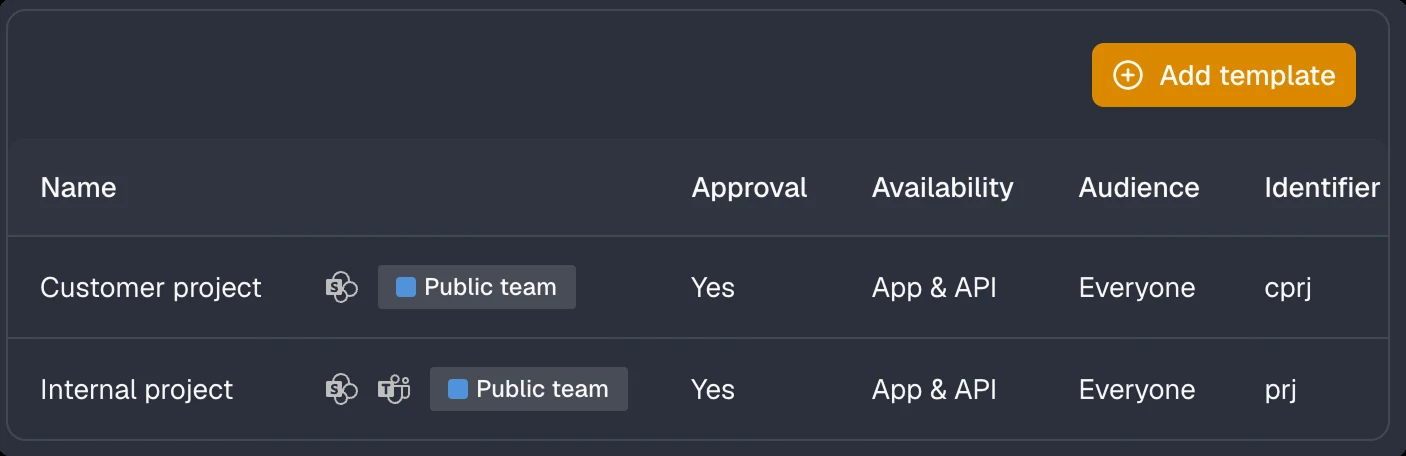
Create organisation-specific templates with predefined document libraries, Planner plans, OneNote, and rules for security, compliance, lifecycle and archiving. Every workspace starts with the right structure, content and governance.
Ensure every workspace has a purpose.
Require approval for new workspaces and route requests to the right approvers.
Consistent names everywhere.
Enforce naming standards for display names, mailboxes and SharePoint site URLs using organisation, project codes, custom fields and other metadata.
Confirm ownership, need and access.
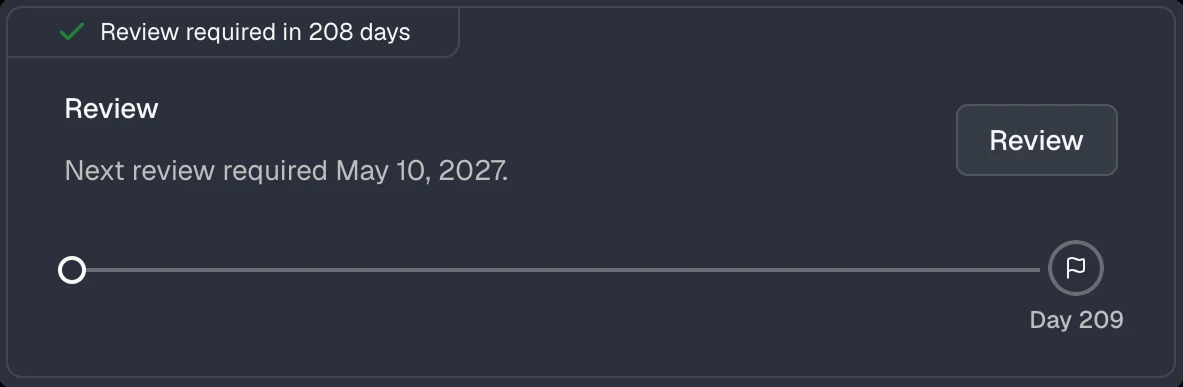
Automatically prompt primary contacts to confirm ownership, business need and access permissions on a recurring basis.
Every guest has a primary contact.
Automatically assign a primary contact to every guest. Primary contacts are accountable for access reviews, lifecycle decisions and other governance actions, and are notified when action is required.
Decide who can create workspaces.
Define per template whether workspaces can be created by users, by admins only, or exclusively via API, for example from your CRM or project tool.
Standardise guest access.
Define templates with predefined rules for invitations, user attributes, inactivity, non-responsive guests and lifecycle management.
No more orphaned workspaces.
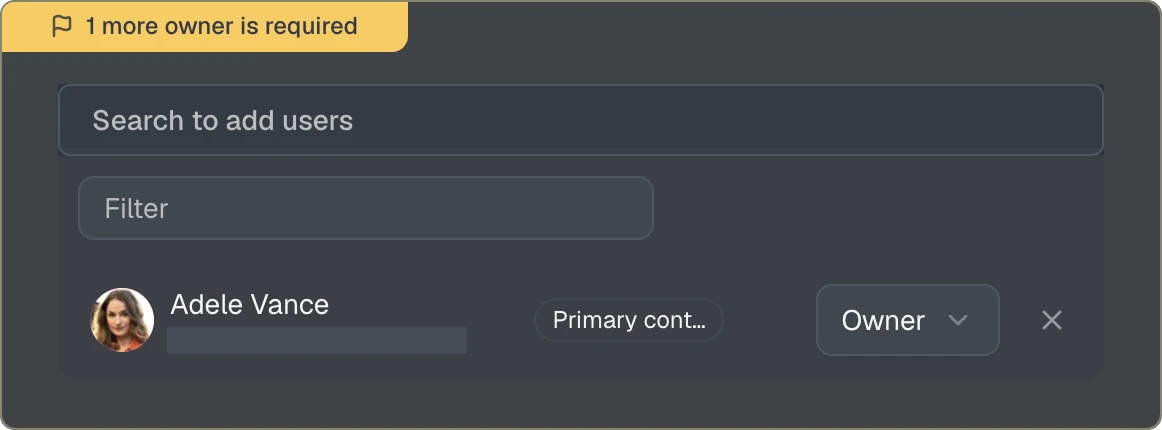
Define the minimum number of owners per workspace. Continuous checks flag workspaces that fall below the requirement.
Let users create workspaces based on approved templates.
Enable self-service creation of Teams and SharePoint sites while enforcing governance standards and policies.
Start projects with the right structure.
Automatically create standard and private channels with predefined permissions, so teams can start working right away.
Make guests easy to identify.
Automatically enforce naming conventions for all guests. Seamless restores compliant names when guest attributes change and can regenerate identities in bulk based on Entra ID attributes, making it easy to distinguish guests from employees and prevent chats and content from being shared with the wrong people.
Spot gaps instantly.
Filter Teams and guests by ownership, organisation, template, primary contact, lifecycle status, issue type or Entra ID attributes. Find gaps quickly and take action where needed.
Folders and files from day one.
Provision predefined folders and files into channels automatically.
See what's shared and with whom.
View all sharing links and permissions across files and folders in a document library.
A shared notebook, pre-structured.
Provision a predefined OneNote template as the site notebook.
One click, every action.
Apply the template's archiving actions to any workspace in a single step.
Archive exactly the way you need.
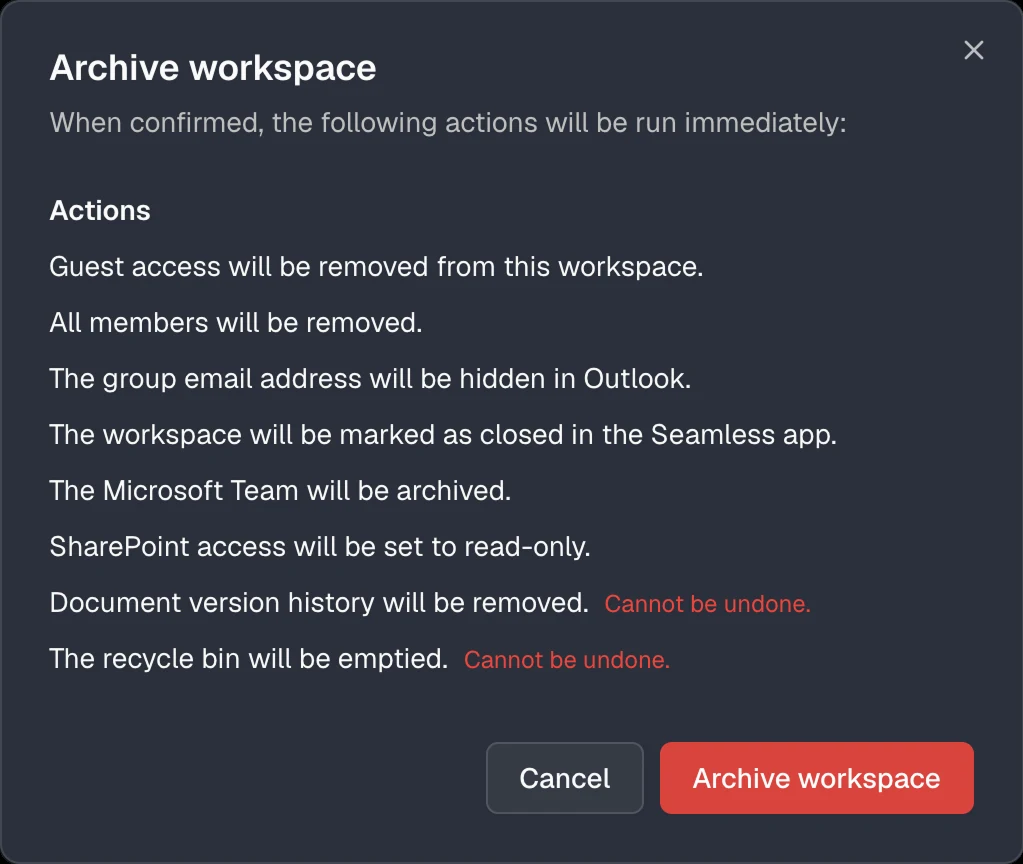
Define which actions are executed when a workspace is archived.
Know who has access and take control.
See who has access to any SharePoint document library and manage access, sharing and permissions from one place.
Allow guests where it makes sense.
Control guest access per template and define which workspaces can include external users.
Manage access in one place.
Easily manage group access, owners and members directly in Seamless.
Update hundreds of teams and guests at once.
Bulk update ownership, templates and lifecycle settings across hundreds of workspaces and guests.
Start with the right documents.
Copy content from a defined source into the default document library during provisioning.
Clean up at scale.
Archive or delete obsolete Teams and groups, and block or remove inactive or unwanted guest access in bulk.
Control how content is shared externally.
Allow or block external sharing on SharePoint sites per template.
Expire what's no longer used.
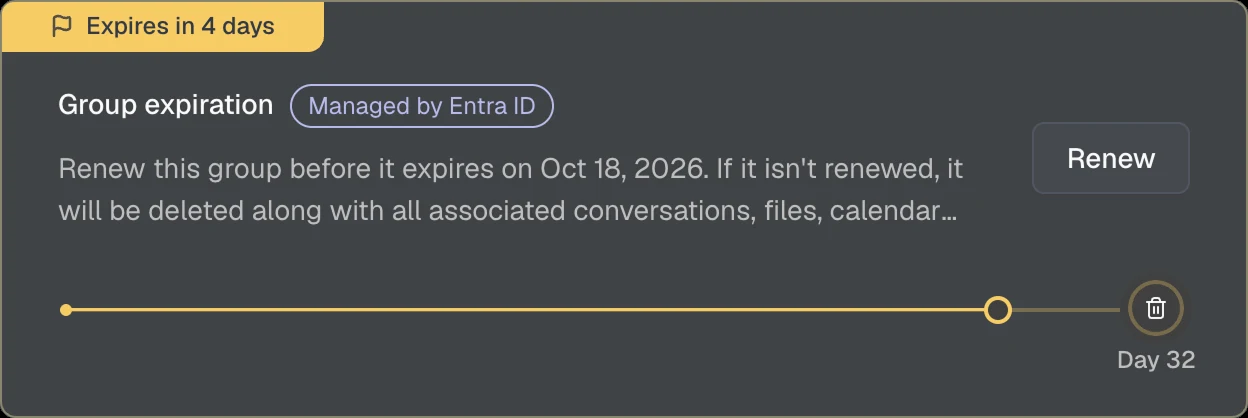
Add workspaces to the Microsoft Entra group expiration policy per template, see upcoming expirations and renew groups in Seamless.
Keep existing workspaces up to date.
When a template changes, roll out updated settings to existing Teams and groups, individually or in bulk.
Ensure no guest falls outside governance.
Automatically apply a template to guests invited through Microsoft 365 or Teams and enforce your governance policies from day one.
Transfer responsibility with accountability.
Transfer the primary contact when employees leave or responsibilities change. Every transfer is documented, ensuring ownership changes remain transparent and traceable.
Public or private by design.
Define whether Teams and SharePoint sites are created as public, allowing anyone to join, or private, where owners control access and permissions.
Restore permissions to the approved standard.
Reapply the permissions defined in the template whenever changes are made in Teams or SharePoint, ensuring workspaces remain compliant with your governance standards.
Integrate Seamless into your workflows.
Use the Seamless REST API to automate governance and lifecycle processes, access workspace and guest data, and extend Seamless with your own applications, workflows and integrations.
Approve guest access before it's granted.
Require approval for guest invitations and route requests to the right approvers.
Switch workspaces to a different template.
Assign a different template to a workspace and automatically apply the template's settings, including guest access, visibility and sensitivity labels.
Start projects with tasks in place.
Automatically create Planner plans with predefined tasks, buckets and assignments, helping teams get started faster and work consistently from day one.
Remove guest access when it's no longer needed.
Allow users to block or remove guests themselves based on the permissions defined in the assigned template.
Achieve near zero housekeeping.
Create custom actions using PowerShell or Logic Apps and run them for individual or multiple workspaces and guests. Automate invitations, cleanup tasks and other governance processes.
Separate content with dedicated permissions.
Create additional document libraries with their own permissions during provisioning.
Classified from day one.
Apply sensitivity labels to control visibility, guest access and external sharing across Teams and SharePoint sites.
Define who may share.
Choose whether sharing is allowed for owners and members, limited to files and folders, or restricted to owners only.
Connect Seamless to your workflows.
Trigger external workflows when events occur in Seamless, such as workspace provisioning, archiving, reviews or lifecycle changes. Monitor payloads, delivery status and retries from a central audit trail.
Keep guest information up to date.
Invite guests to securely review and update their profile information through the Seamless guest portal. Changes are automatically written back to Entra ID.
Regain control over shared content.
Remove internal and external sharing links across document libraries, folders, files, channels and OneNote notebooks.
Catch unwanted guest access.
Detect and correct guest access settings that differ from the template.
Structure workspaces like your business.
Link teams into a logical hierarchy, for example a customer with all related offers, projects and service mandates.
Clean guest data, continuously.
Regularly check that required Entra ID properties are filled in and that display names follow your naming convention.
Automatic access for the right people from the start.
Automatically add predefined users as owners or members when a workspace is created.
Show exactly the data you need.
Show or hide columns and save views for teams, groups and guests.
Invite guests within defined guardrails.
Enable controlled self-service guest invitations based on approved templates. Enforce governance policies and invite up to 20 guests at once.
Catch private workspaces turned public.
Detect and correct visibility settings that differ from the template.
Built for managed service providers.
Switch between customer tenants in one place and govern multiple Microsoft 365 environments from a single admin center.
Grant the right access from the start.
During the invitation process, configure Teams and group permissions to ensure guests receive the appropriate level of access from day one.
Every guest in your directory, found fast.
Search and filter all guests across your Microsoft Entra directory by name, email, status, sign-in status or primary contact.
Fine-tune how Teams are used.
Configure member and guest permissions, messaging capabilities and collaboration settings in Microsoft Teams.
Catch changed sensitivity labels.
Detect and correct sensitivity labels that differ from the template.
Manage guest invitations with confidence.
Control which users can invite guests based on the assigned template.
Consistent guest identities.
Define naming rules and required attributes for different guest types to ensure consistent and meaningful guest identities.
Complete guest profiles automatically.
Use AI to identify missing guest information from email addresses and automatically populate Entra ID attributes such as first name, last name and company, individually or in bulk.
See where every guest has access.
Show all groups and teams a guest is a member of.
Let external people request access.
Publish sign-up forms on a website where external people request access to Teams or SharePoint content. Access is granted after approval or based on predefined domains, ideal for extranets, associations and business clubs.
Give users the right level of control.
Control whether users can block or delete guests, transfer responsibility, and view guest permissions.
Access through security groups.
Grant SharePoint permissions through security groups for consistent and scalable access control.
Keep sensitive files inside.
Prevent files from being downloaded from SharePoint sites while allowing users to view and collaborate online.
Format and fix guest data in bulk.
Check whether display names follow the template's naming pattern and update them, and verify that all required Entra ID properties are filled in.
Keep guest data up to date.
View and edit a guest's properties directly in Seamless.
Decide who can archive.
Control who can archive workspaces and under which conditions.
Provide consistent invitation messages.
Add predefined information and instructions to the Microsoft invitation email and control whether users can edit the message.
Manage access requests your way.
Decide whether users can request access to SharePoint sites.
Keep the address list clean.
Hide groups from Outlook and the Global Address List (GAL).
No noise for new members.
Suppress the default Microsoft 365 welcome email for new group members.
Metadata for Purview and beyond.
Define property bag attributes and values for integrations, automation and compliance scenarios such as Microsoft Purview.
Start the checks fresh.
Reset the compliance status of selected guests so the checks run again.
No features match your search or filters.
Choose the plan that suits you best.
For project and engagement driven firms.
Standardise how new projects and engagements start in Microsoft 365. For efficient workflows, consistent collaboration and a fast project kickoff.
All governance features for all users.
Tailored offers for larger organisations.
If you have more than 1000 users or need additional services, we are happy to make you an offer.
Contact usWhat counts is the use case, not the number of users.
The Projects package is designed for small project and engagement driven firms. Organisations with extensive governance requirements, complex organisational structures or use cases that are not project based are assigned to the Enterprise offer.
Everything about the trial, licences and support.
Engineering firms, associations and companies tell how they keep Microsoft 365 under control with Seamless.

Burkhalter automates project work in Microsoft Teams with Seamless, Volta and SharePoint: consistent structures and secure access.
Read more
Helbling Technik governs Teams and SharePoint workspaces with Seamless: role-based requests, smart checks and automated provisioning.
Read more
UMB automates Teams and SharePoint provisioning from HubSpot, Vertec and ServiceNow with Seamless, with role-based data access.
Read more
Amstein + Walthert upgrades classic SharePoint project rooms to modern Team Sites during operations, with the new Seamless version.
Read more
The Swiss Football Association cleans up its external guests with Seamless and keeps responsibilities and access clear for the long term.
Read more
Seamless provides EBP with structured Teams workspaces, clear processes for each business unit, and secure management of external guests.
Read morePractical insights on governance, guest access, Copilot and lifecycle in Microsoft 365.

Copilot turns oversharing into an acute risk. Seamless prevents it with sharing templates, sensitivity labels, compliance jobs and owners.
Read more
Copilot changes SharePoint. How SharePoint Advanced Management reduces oversharing, strengthens governance and secures the site lifecycle.
Read more
How engineering and planning firms use Teams and SharePoint with standardized project structures, clear access rules and governance.
Read more
Clear guidance on when to share a document and when creating a Microsoft Team makes sense. Precise, factual, and without unnecessary complexity.
Read more
How organizations can manage guest access in Teams and SharePoint securely and cleanly using invitation rules, responsibilities, and automated cleanup.
Read more
Teams is only the surface, files live in SharePoint. Why deleted files still exist and how retention policies define deletion.
Read more
Why governance in Microsoft 365 needs rethinking and how Seamless enables efficient, secure and sustainable collaboration.
Read more
How Seamless brings order to Microsoft 365: automated governance, clear responsibilities, lifecycle management and controlled guest access.
Read more
Core Seamless governance features: templates, provisioning, ownership, compliance checks and automated lifecycle processes.
Read more
Advanced Seamless features: role-based access, relations, sharing control, guest self service, integrations and automation.
Read more
Native governance features in Teams, SharePoint and Entra ID: strengths, common limits and when additional solutions are needed.
Read more
Why every team and guest needs clear accountability and how the responsible person in Seamless improves lifecycle and security.
Read more
Why consistent display names for guests in Microsoft 365 matter and how automated compliance checks keep Teams and Entra ID in order.
Read more
Why a central dashboard for guests in Microsoft 365 matters, which risks a lack of transparency creates and how metrics help.
Read moreQuestions about Seamless, pricing or your environment? Write to us and we will get back to you personally.
We have received your request and will get back to you.