Standards that stick
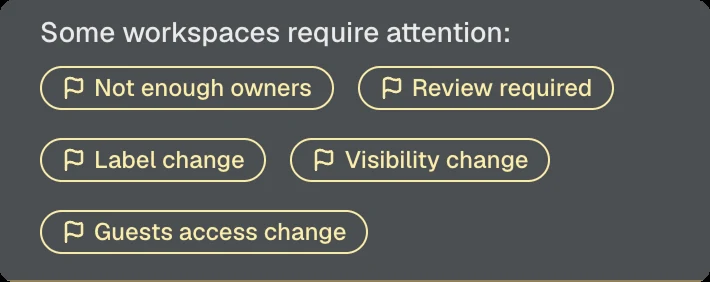
Seamless detects changes to security settings in real time, highlights drift, and makes it easy to revert settings to the configuration defined in the template.
For Microsoft 365 admins
Full control over Teams, SharePoint and guest access with automated governance and lifecycle management.
Trusted by organisations of all sizes.
Secure self-service
Create teams from approved templates and manage workspaces and guest access yourself. Settings and rules from your IT policies are applied automatically.
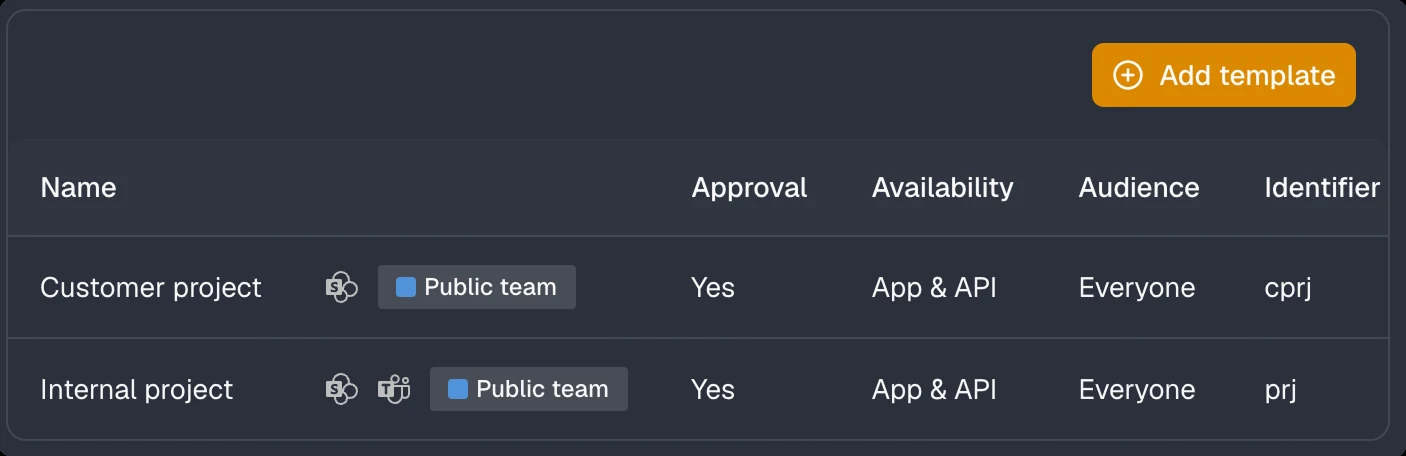
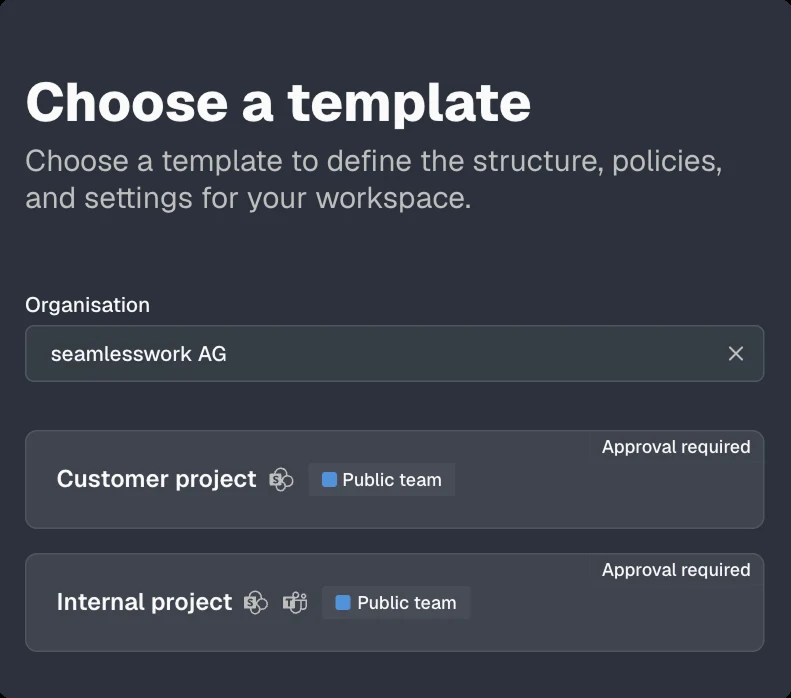
The template defines structure, policies and settings.
OrganisationContosoA clear name so everyone can find the workspace.
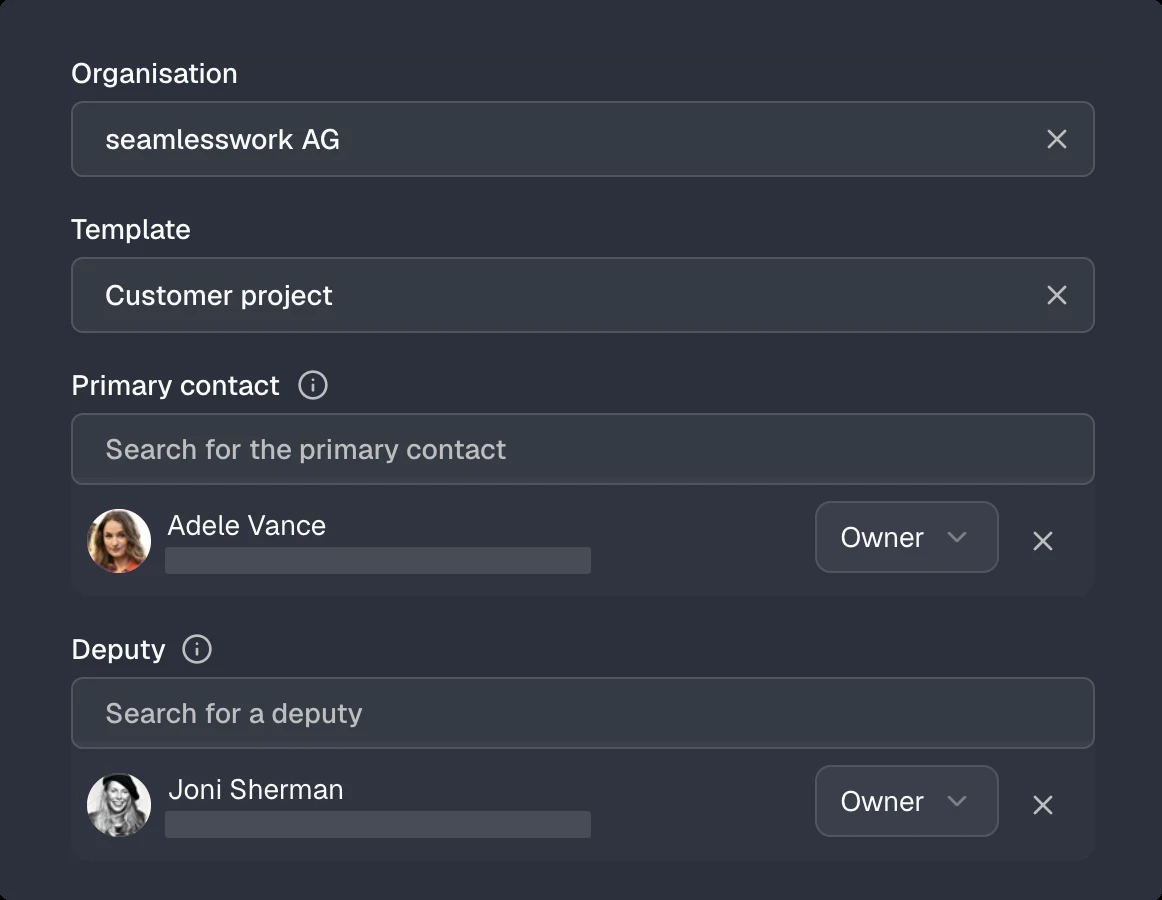
NameSelect a primary contact and a deputy.
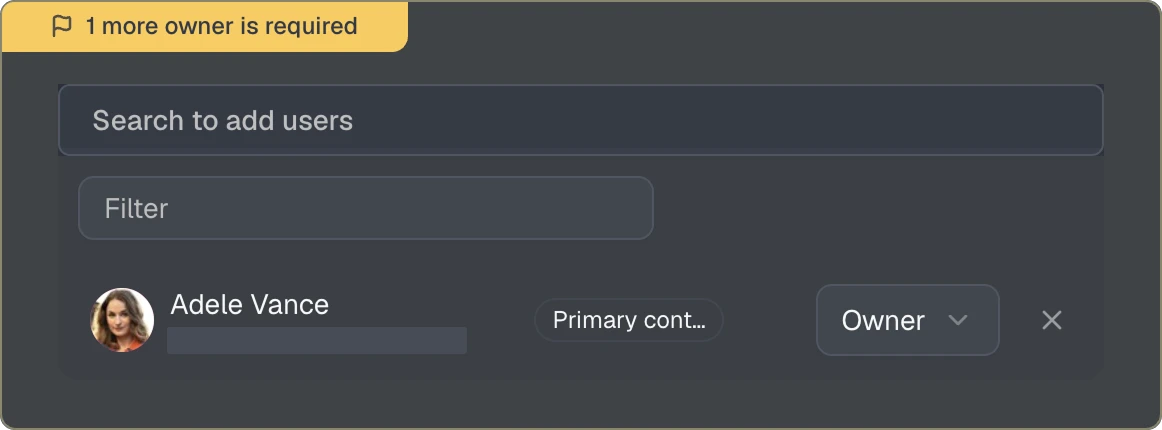
Primary contactAdd people and assign their access level.
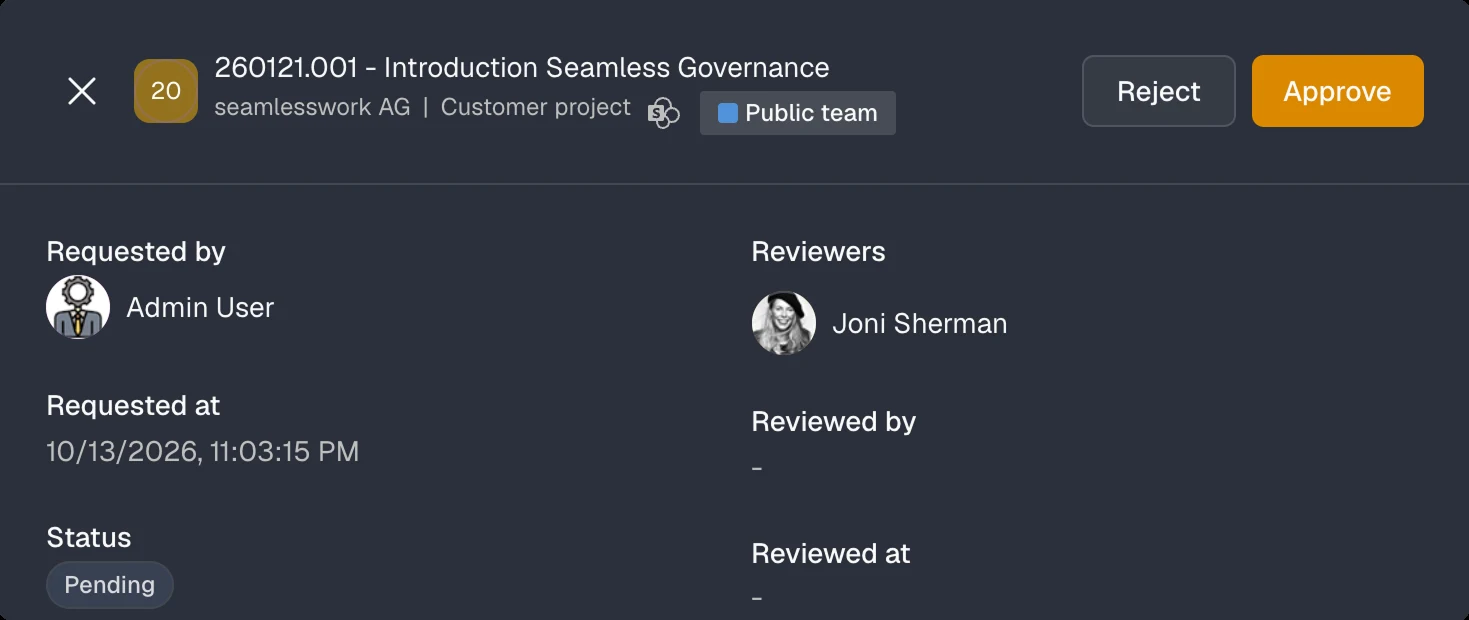
Review the information and send your request.
Choose the matching template.
The person managing access and communication.
Primary contact*Add one or more guests.
Select teams or groups.
Teams or groupsThe invitation is sent after approval.
GuestAll steps completed.
GuestManage members and roles.
Teams you can join
Confirm the primary contact for this workspace.
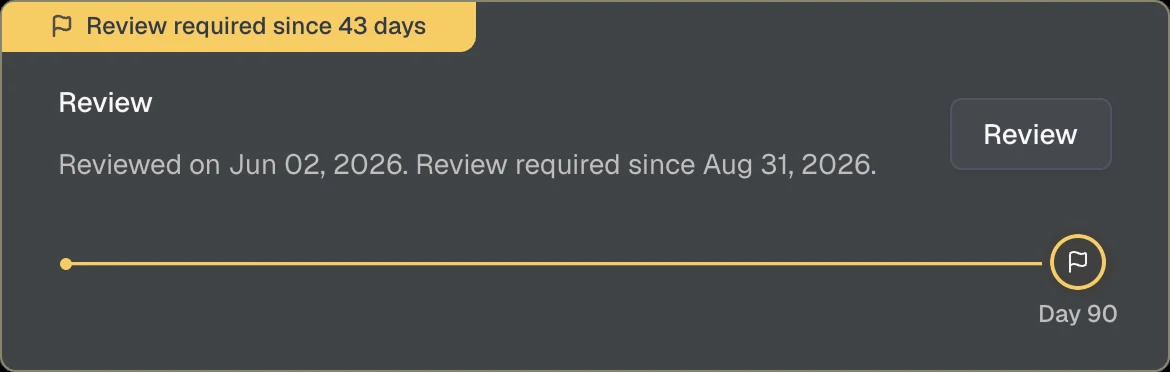
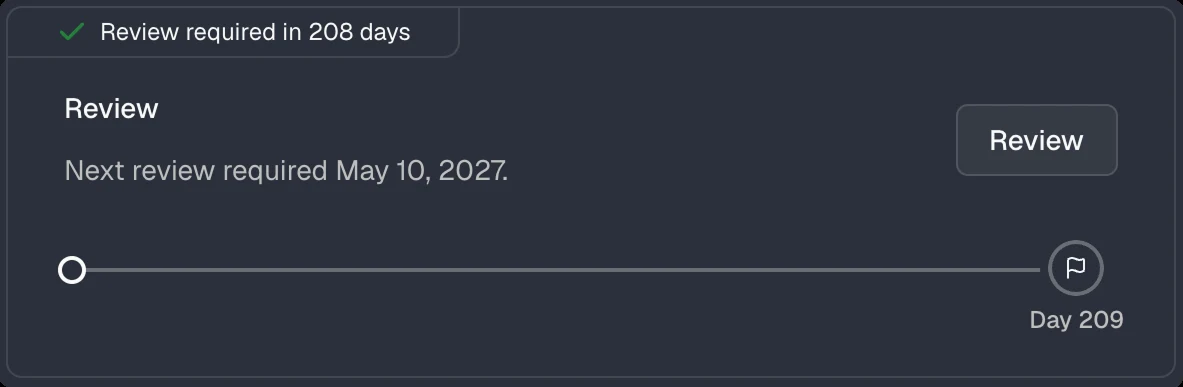
Confirm whether the workspace should remain active.
Review access and roles. Changes apply immediately.
Confirm that you are responsible for Marta Rossi.
Confirm that Marta Rossi still works with you.
Remove anything that is no longer needed.
Your benefits
Teams and SharePoint remain where you work. You mainly use the Seamless app to create new workspaces from a template. Everything else is there when you need it.
Pick a template and your workspace is ready in minutes, with channels, libraries, tasks and notes.
Find everything you have access to, not just Teams. Quick links take you straight to the content you need.
Built-in guidance walks you through every step, so you can't get it wrong.
See at a glance who is responsible and who has access to what.
Get rid of teams you no longer need, within your IT policies.
Consistent processes keep content in the same place, so it is easier to find.
Features for Microsoft 365
Seamless creates Teams, sites and guest access according to your standards and keeps them compliant over time.
Seamless detects changes to security settings in real time, highlights drift, and makes it easy to revert settings to the configuration defined in the template.
Easily roll out template changes in bulk across existing workspaces, without PowerShell scripts or manual adjustments.
Guest access is automatically removed when invitations remain unredeemed or accounts become inactive.
Seamless helps IT administrators identify and resolve issues before they become security or compliance risks.
Lifecycle
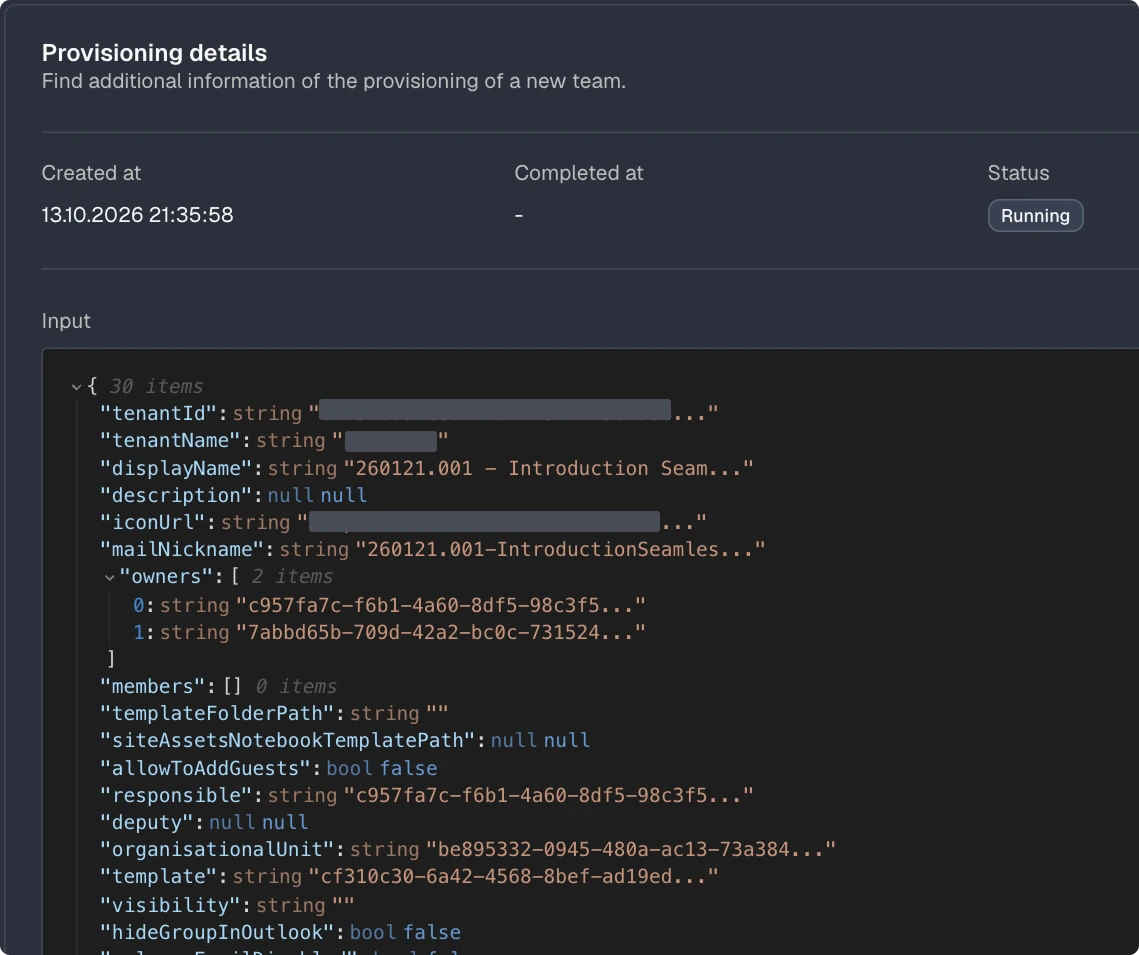
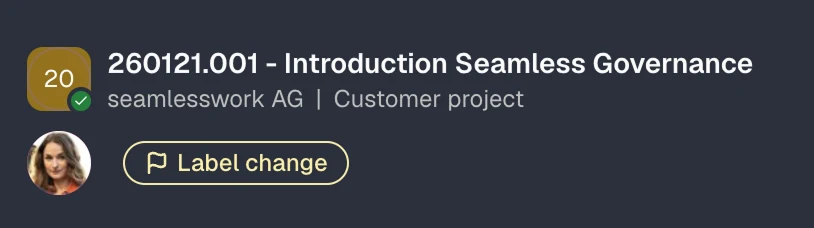
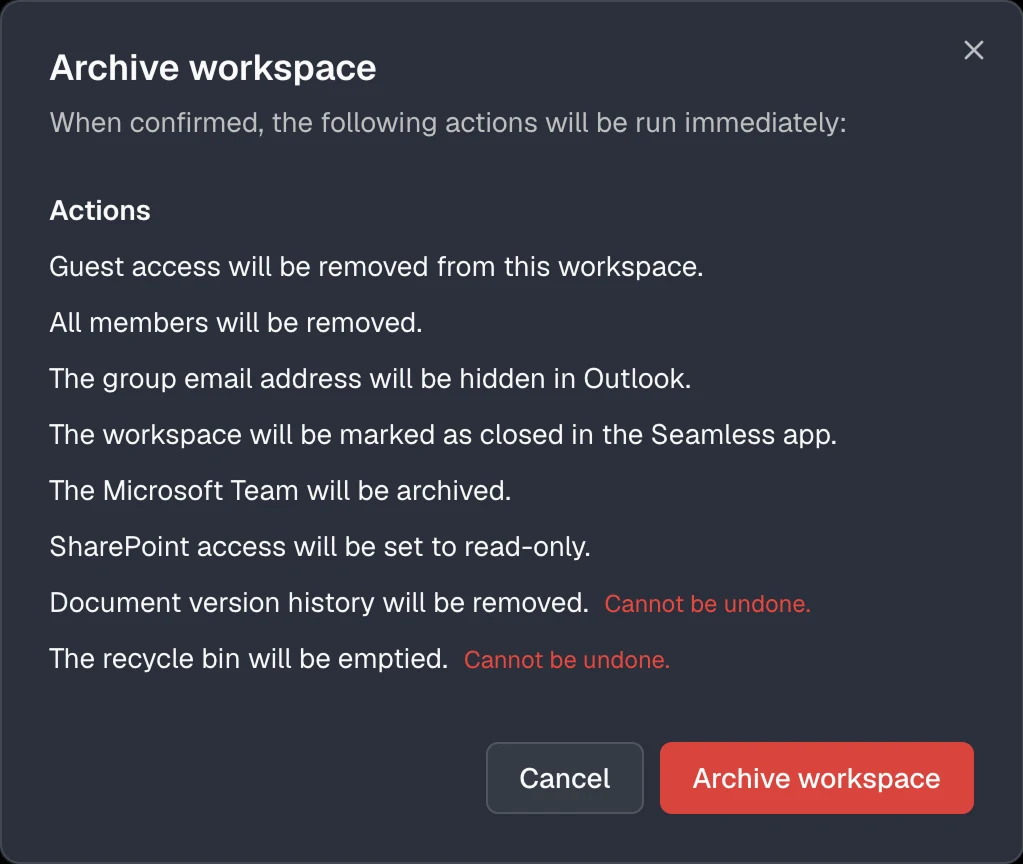
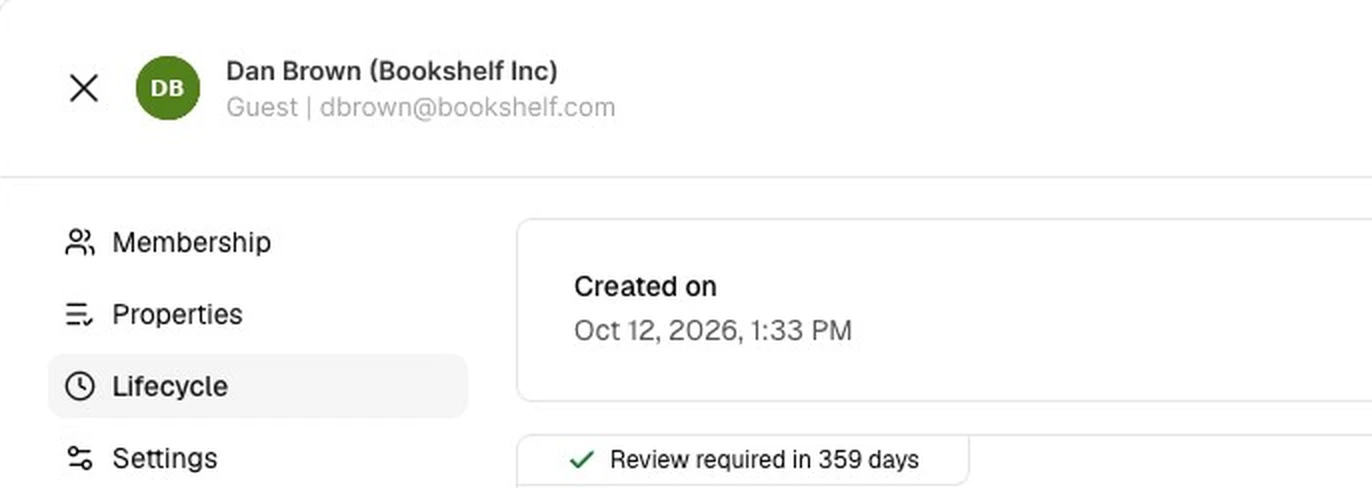
IT defines the templates, employees request workspaces in Teams. Seamless provisions, monitors continuously and archives when a project is done.
(!givenName!) (!surname!) ((!companyName!))Every guest needs a responsible person in your organisation.
Confirm that you are responsible for this guest.
Confirm that the guest still needs access.
Review the resources this guest can access.
Choose the option that best describes the people you invite.
The person managing access and communication.
Primary contact*Add one or more guests.
Select teams or groups. You can also do this later.
Teams or groupsThe invitation is sent immediately.
GuestThe template defines structure, policies and settings of the workspace.
A clear name so everyone can find the workspace.
Add people and assign their access level.
Review the information and send your request.
Confirm the primary contact for managing this workspace.
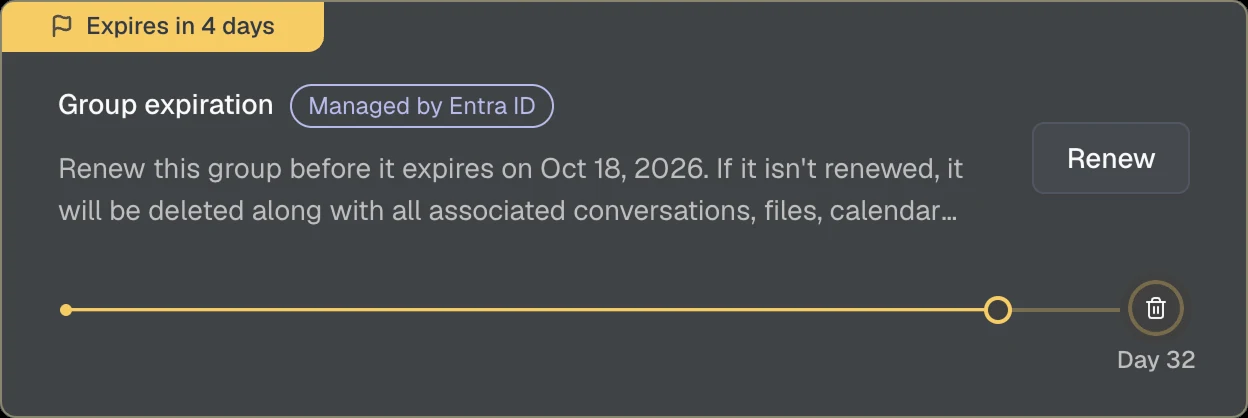
Confirm whether the workspace should remain active.
Review access and roles for each person. Changes apply immediately.
{{Project code}} - {{Name}}{{}}-{{}}


B2B Collaboration
Let customers and business partners request access to Teams, SharePoint sites, and applications through self service web forms. Access, approvals, ownership, and lifecycles stay under control at all times.
Add this snippet to your website.
Data sheets, presentations and campaigns for our partners, always up to date.
Your access is ready. You will find the material in Microsoft Teams.
Hello Petra Wyss
Contoso asks you to review your guest account and keep your details up to date.
Review guest accountWe will send a code to p***s@sunshine.com. The address is partially hidden for security reasons.
Request codeThe code is valid for 10 minutes.
Contoso requires guests to accept the terms of use before access is granted.
Please provide the following details.
SaveThank you. You can close this window now.
Integration & Extension
Connect your business applications with Seamless through the REST API, receive events through webhooks, and trigger custom automations directly from the Admin Center.
1# Request a new workspace based on an approved template2$body = @{3 displayName = "260215.001 - Projekt Atlas260215.001 - Project Atlas"4 mailNickname = "260215.001"5 templateIdOrIdentifier = "project"6 organisationIdOrIdentifier = "contoso"7 responsible = "lhuber@contoso.com"8 deputy = "mkeller@contoso.com"9 reviewers = @("governance@contoso.com")10 requestedBy = "lhuber@contoso.com"11} | ConvertTo-Json12 13Invoke-RestMethod -Method Post -Uri "$api/groups/creationRequests" `14 -Headers $headers -Body $body -ContentType "application/json"
1# Approve the request, Seamless provisions team and site2$body = @{3 status = "Approved"4 reviewer = "governance@contoso.com"5} | ConvertTo-Json6 7Invoke-RestMethod -Method Patch `8 -Uri "$api/groups/creationRequests/$requestId" `9 -Headers $headers -Body $body -ContentType "application/json"
1# Confirm the review, "Renewal required" is removed2$body = @{ renewedBy = "lhuber@contoso.com" } | ConvertTo-Json3 4Invoke-RestMethod -Method Patch -Uri "$api/groups/$groupId/renew" `5 -Headers $headers -Body $body -ContentType "application/json"
1# Archive the workspace using the template's archive configuration2Invoke-RestMethod -Method Post -Uri "$api/groups/$groupId/archive" `3 -Headers $headers
1POST /workflows/4e7b…/triggers/manual/paths/invoke HTTP/1.12Host: prod-27.switzerlandnorth.logic.azure.com3Content-Type: application/json4 5{6 "id": "8b2f6c1e-4d3a-4f7e-9c21-5e6a7b8c9d0e",7 "displayName": "260215.001 - Projekt Atlas260215.001 - Project Atlas",8 "mail": "260215.001@contoso.com",9 "mailNickname": "260215.001",10 "organisation": { "name": "Contoso" },11 "template": { "name": "Project", "slug": "project" },12 "responsible": { "displayName": "Lena Huber", "mail": "lhuber@contoso.com" },13 "deputy": { "displayName": "Marco Keller", "mail": "mkeller@contoso.com" },14 "status": 0,15 "lifecycle": "Active"16}
1POST /workflows/4e7b…/triggers/manual/paths/invoke HTTP/1.12Host: prod-27.switzerlandnorth.logic.azure.com3Content-Type: application/json4 5{6 "id": "8b2f6c1e-4d3a-4f7e-9c21-5e6a7b8c9d0e",7 "displayName": "260215.001 - Projekt Atlas260215.001 - Project Atlas",8 "mail": "260215.001@contoso.com",9 "mailNickname": "260215.001",10 "organisation": { "name": "Contoso" },11 "template": { "name": "Project", "slug": "project" },12 "responsible": { "displayName": "Lena Huber", "mail": "lhuber@contoso.com" },13 "deputy": { "displayName": "Marco Keller", "mail": "mkeller@contoso.com" },14 "status": 2,15 "lifecycle": "Active"16}
1POST /workflows/4e7b…/triggers/manual/paths/invoke HTTP/1.12Host: prod-27.switzerlandnorth.logic.azure.com3Content-Type: application/json4 5{6 "id": "8b2f6c1e-4d3a-4f7e-9c21-5e6a7b8c9d0e",7 "displayName": "260215.001 - Projekt Atlas260215.001 - Project Atlas",8 "mail": "260215.001@contoso.com",9 "mailNickname": "260215.001",10 "organisation": { "name": "Contoso" },11 "template": { "name": "Project", "slug": "project" },12 "responsible": { "displayName": "Lena Huber", "mail": "lhuber@contoso.com" },13 "deputy": { "displayName": "Marco Keller", "mail": "mkeller@contoso.com" },14 "status": 0,15 "lifecycle": "Archived"16}
1POST /workflows/4e7b…/triggers/manual/paths/invoke HTTP/1.12Host: prod-27.switzerlandnorth.logic.azure.com3Content-Type: application/json4 5{6 "id": "3c9e1a7b-2f4d-4b8e-a6c5-1d2e3f4a5b6c",7 "displayName": "Dan Brown (Bookshelf Inc)",8 "mail": "dbrown@bookshelf.com",9 "company": "Bookshelf Inc",10 "template": { "name": "External partner" },11 "primaryContact": { "displayName": "Lena Huber", "mail": "lhuber@contoso.com" }12}
1POST /actions/cost-center HTTP/1.12Host: automation.contoso.com3Content-Type: application/json4 5{6 "id": "8b2f6c1e-4d3a-4f7e-9c21-5e6a7b8c9d0e",7 "displayName": "260215.001 - Projekt Atlas260215.001 - Project Atlas",8 "mail": "260215.001@contoso.com",9 "mailNickname": "260215.001",10 "organisation": { "name": "Contoso" },11 "template": { "name": "Project", "slug": "project" },12 "responsible": { "displayName": "Lena Huber", "mail": "lhuber@contoso.com" },13 "deputy": { "displayName": "Marco Keller", "mail": "mkeller@contoso.com" },14 "status": 0,15 "lifecycle": "Active"16}
1POST /actions/cost-center HTTP/1.12Host: automation.contoso.com3Content-Type: application/json4 5[6 { "id": "8b2f6c1e-…", "displayName": "260215.001 - Projekt Atlas260215.001 - Project Atlas", … },7 { "id": "1a7d9e3b-…", "displayName": "Marketing", … },8 { "id": "5c2e8f4a-…", "displayName": "Finance", … }9]
Result
Waiting for approval by governance@contoso.com.
Result
Result
Result
Archive configuration of the template applied.
Events
Teams and sites
team.create
Created
team.review
Review due
team.archive
Archived
Guests · invitation not accepted
user.report.invitationAcceptance
Reported
user.delete.invitationAcceptance
Deleted
Guests · inactive
user.report.inactivity
Reported
user.block.inactivity
Blocked
user.delete.inactivity
Deleted
Guests · review
user.report.renewal
Reported
user.block.renewal
Blocked
user.delete.renewal
Deleted
Guests · approval
Events
Teams and sites
team.create
Created
team.review
Review due
team.archive
Archived
Guests · invitation not accepted
user.report.invitationAcceptance
Reported
user.delete.invitationAcceptance
Deleted
Guests · inactive
user.report.inactivity
Reported
user.block.inactivity
Blocked
user.delete.inactivity
Deleted
Guests · review
user.report.renewal
Reported
user.block.renewal
Blocked
user.delete.renewal
Deleted
Guests · approval
Events
Teams and sites
team.create
Created
team.review
Review due
team.archive
Archived
Guests · invitation not accepted
user.report.invitationAcceptance
Reported
user.delete.invitationAcceptance
Deleted
Guests · inactive
user.report.inactivity
Reported
user.block.inactivity
Blocked
user.delete.inactivity
Deleted
Guests · review
user.report.renewal
Reported
user.block.renewal
Blocked
user.delete.renewal
Deleted
Guests · approval
Events
Teams and sites
team.create
Created
team.review
Review due
team.archive
Archived
Guests · invitation not accepted
user.report.invitationAcceptance
Reported
user.delete.invitationAcceptance
Deleted
Guests · inactive
user.report.inactivity
Reported
user.block.inactivity
Blocked
user.delete.inactivity
Deleted
Guests · review
user.report.renewal
Reported
user.block.renewal
Blocked
user.delete.renewal
Deleted
Guests · approval
Events
Teams and sites
team.create
Created
team.review
Review due
team.archive
Archived
Guests · invitation not accepted
user.report.invitationAcceptance
Reported
user.delete.invitationAcceptance
Deleted
Guests · inactive
user.report.inactivity
Reported
user.block.inactivity
Blocked
user.delete.inactivity
Deleted
Guests · review
user.report.renewal
Reported
user.block.renewal
Blocked
user.delete.renewal
Deleted
Guests · approval
Custom action in the Admin Center
Hands the selected objects over to your own automation.
Custom action in the Admin Center
Hands the selected objects over to your own automation.
We are a team of Microsoft 365 and Azure specialists. We are building the Microsoft 365 governance platform we always wished we had. One that just works.
Customer voices
In just two years with Microsoft Teams, our tenant has welcomed over 1’600 guests. Thanks to Seamless, identifying and removing inactive guests is a breeze!
One Microsoft team for all projects seems convenient, but poses collaboration risks. Seamless helps us enforce our project processes, structures, security, and efficiency.
Engineering excellence relies on precise, well-defined processes. With Seamless, we apply these principles to our collaboration approval and provisioning process.
We do not allow contractors and visitors permanent access to our offices. So why do we still grant guests permanent access to data in Microsoft Teams?
Seamless convinced us instantly!
With over 800 regularly changing officials, we rely on Seamless to automate our guest governance and to keep track of who, why, and where in Microsoft Teams access is granted.
By integrating the Seamless API into our ITSM tool, Teams creation follows a structured, auditable request and approval process.
Our business is project-driven. Seamless ensures that our digital workspaces are just as structured as our projects.
Seamless delivers the missing features to work hand in hand with customers in Microsoft 365 on one connected platform.
Seamless convinced instantly!
In just two years with Microsoft Teams, our tenant has welcomed over 1’600 guests. Thanks to Seamless, identifying and removing inactive guests is a breeze!
One Microsoft team for all projects seems convenient, but poses collaboration risks. Seamless helps us enforce our project processes, structures, security, and efficiency.
Engineering excellence relies on precise, well-defined processes. With Seamless, we apply these principles to our collaboration approval and provisioning process.
We do not allow contractors and visitors permanent access to our offices. So why do we still grant guests permanent access to data in Microsoft Teams?
Seamless convinced us instantly!
With over 800 regularly changing officials, we rely on Seamless to automate our guest governance and to keep track of who, why, and where in Microsoft Teams access is granted.
By integrating the Seamless API into our ITSM tool, Teams creation follows a structured, auditable request and approval process.
Our business is project-driven. Seamless ensures that our digital workspaces are just as structured as our projects.
Seamless delivers the missing features to work hand in hand with customers in Microsoft 365 on one connected platform.
Seamless convinced instantly!